




Ads

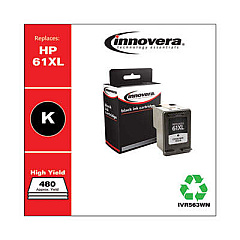
HP DeskJet 3515 Black Ink Cartridges

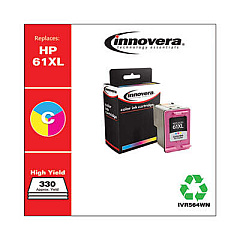
HP DeskJet 3515 Color Ink Cartridges

Ensure your HP DeskJet 3515 printer consistently delivers high-quality prints with genuine HP DeskJet 3515 Ink Cartridges. These reliable cartridges are designed specifically for your printer, offering crisp text and vibrant colors for all your printing needs. Choose from a range of options including the HP CH561WN Black Ink Cartridge for sharp monochrome documents, or the HP CH562WN Tricolor Ink Cartridge for stunning color prints. For higher volume printing, consider the HP CH563WN Black Ink Cartridge and HP CH564WN Tricolor Ink Cartridge, which offer increased page yields. These cartridges are easy to install and work seamlessly with your DeskJet 3515, ensuring consistent performance and preventing potential damage to your printer. Whether for home, school, or small business use, these genuine HP ink cartridges provide the quality and reliability you need for all your printing tasks.

HP DeskJet 3515 Ink Cartridges FAQs

  • What ink cartridges are compatible with the HP DeskJet 3515 printer?

    The HP DeskJet 3515 is compatible with HP CH561WN Black, HP CH562WN Tricolor, HP CH563WN Black, and HP CH564WN Tricolor ink cartridges.

  • How long do HP DeskJet 3515 ink cartridges typically last?

    The lifespan of ink cartridges varies depending on usage, but standard cartridges typically print 190-165 pages, while high-yield cartridges can print up to 480-330 pages.

  • Can I use third-party ink cartridges in my HP DeskJet 3515?

    While third-party cartridges may work, HP recommends using genuine HP ink cartridges for optimal print quality and to protect your printer's warranty.

  • How do I install new ink cartridges in my HP DeskJet 3515?

    Open the cartridge access door, wait for the carriage to move to the center, remove the old cartridge, insert the new one, and close the access door. The printer will automatically align the cartridges.

  • What's the difference between standard and high-yield ink cartridges?

    High-yield cartridges (HP CH563WN and CH564WN) contain more ink and can print more pages than standard cartridges (HP CH561WN and CH562WN), making them more economical for high-volume printing.

  • How can I check the ink levels in my HP DeskJet 3515?

    You can check ink levels through the printer's control panel, the HP software on your computer, or the HP Smart app on your mobile device.

  • Are HP DeskJet 3515 ink cartridges recyclable?

    Yes, HP offers a free recycling program for genuine HP ink cartridges through their HP Planet Partners initiative.

  • Can I use just the black ink cartridge if the color cartridge is empty?

    The HP DeskJet 3515 requires both black and color cartridges to be installed and functioning for the printer to operate, even when printing in black and white.

  • How should I store unused HP DeskJet 3515 ink cartridges?

    Store unused cartridges in their original sealed packaging at room temperature, away from direct sunlight and heat sources, to maintain their quality and prevent them from drying out.

  • What should I do if my HP DeskJet 3515 doesn't recognize a new ink cartridge?

    Try removing and reinserting the cartridge, cleaning the cartridge contacts, or running the printer's cleaning utility. If issues persist, the cartridge may be defective and need replacement.

Warehouse Locations

Policy & Agreement | Copyright © 1995-2026 BlueDogInk.com
