




Ads

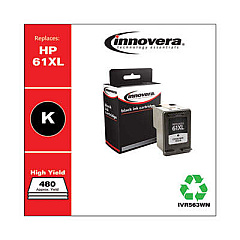
HP DeskJet 3050A - J611g Black Ink Cartridges

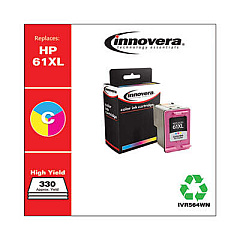
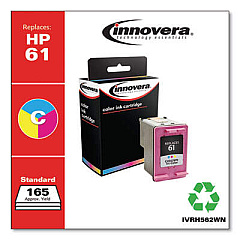
HP DeskJet 3050A - J611g Color Ink Cartridges

Keep your HP DeskJet 3050A - J611g Ink Cartridges stocked and ready for all your printing needs. This versatile all-in-one printer requires four essential ink cartridges to deliver crisp text and vibrant color prints. The HP CH561WN and CH563WN Black Ink Cartridges ensure sharp, professional-looking documents, while the HP CH562WN and CH564WN Tricolor Ink Cartridges produce stunning photos and graphics. These genuine HP cartridges are designed specifically for optimal performance with your DeskJet 3050A, guaranteeing consistent quality and reliability. Whether you're printing important business documents, school projects, or cherished family photos, these ink cartridges will help you achieve outstanding results every time. Don't let low ink levels slow you down – keep spare cartridges on hand to ensure uninterrupted printing for your home or small office needs.

HP DeskJet 3050A - J611g Ink Cartridges FAQs

  • How often should I replace the ink cartridges in my HP DeskJet 3050A - J611g?

    Replacement frequency depends on your printing volume. Monitor ink levels through your printer software and replace when low or print quality diminishes.

  • Can I use non-HP ink cartridges in my DeskJet 3050A - J611g?

    While third-party cartridges may work, HP recommends using genuine HP ink cartridges for optimal print quality and printer performance.

  • What's the difference between the CH561WN/CH562WN and CH563WN/CH564WN cartridges?

    The CH563WN and CH564WN are high-yield versions, offering more prints per cartridge compared to the standard CH561WN and CH562WN.

  • How do I install new ink cartridges in my HP DeskJet 3050A - J611g?

    Open the cartridge access door, wait for the carriage to move to the center, remove the old cartridge, insert the new one, and close the door. The printer will align the cartridges automatically.

  • Can I recycle my used HP ink cartridges?

    Yes, HP offers a free recycling program for genuine HP ink cartridges. Visit their website or check local office supply stores for recycling options.

  • How long do unopened HP ink cartridges last?

    Unopened HP ink cartridges typically last up to 24 months from the date of manufacture when stored properly at room temperature.

  • What should I do if my printer doesn't recognize the new ink cartridge?

    Remove and reinsert the cartridge, ensuring it's properly seated. Clean the cartridge contacts and try again. If issues persist, contact HP support.

  • Can I use just the black ink cartridge if the color cartridge is empty?

    The HP DeskJet 3050A - J611g requires both black and color cartridges to be installed and functioning for the printer to operate properly.

  • How many pages can I print with each ink cartridge?

    Page yield varies depending on the specific cartridge and print content. Check the product specifications for estimated page yields under standard conditions.

  • Are these ink cartridges compatible with other HP printer models?

    These cartridges are designed specifically for the HP DeskJet 3050A - J611g and may not be compatible with other models. Always check your printer's user manual for the correct cartridge numbers.

Warehouse Locations

Policy & Agreement | Copyright © 1995-2026 BlueDogInk.com
