




Ads

HP DesignJet Z6 dr ps vtr 44In. Black Ink Cartridges

HP DesignJet Z6 dr ps vtr 44In. Color Ink Cartridges

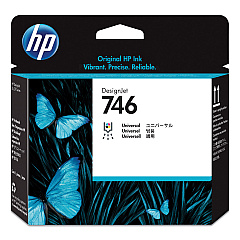
HP DesignJet Z6 dr ps vtr 44In. Printheads

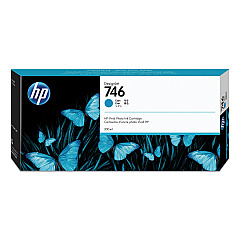
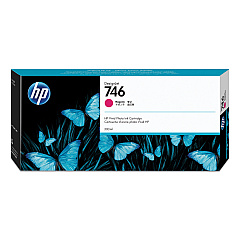
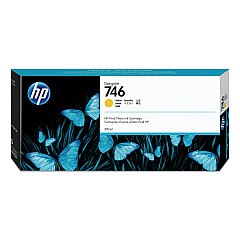
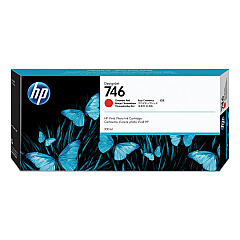
Enhance your printing capabilities with HP DesignJet Z6 dr ps vtr 44In. Ink Cartridges, designed for exceptional quality and performance. This comprehensive set includes the HP P2V25A Printhead and six high-capacity ink cartridges: Magenta (P2V78A), Yellow (P2V79A), Cyan (P2V80A), Chromatic Red (P2V81A), Photo Black (P2V82A), and Matte Black (P2V83A). These genuine HP supplies ensure vibrant, long-lasting prints with precise color accuracy and sharp details. Perfect for businesses, educational institutions, government agencies, and healthcare facilities requiring professional-grade large-format printing. The HP DesignJet Z6 dr ps vtr 44In. Ink Cartridges deliver consistent, high-quality results for a wide range of applications, from posters and presentations to technical drawings and geographic information system (GIS) maps. Trust in HP's innovative technology to maximize your printer's performance and produce stunning visual communications.

HP DesignJet Z6 dr ps vtr 44In. Ink Cartridges FAQs

  • How long do HP DesignJet Z6 dr ps vtr 44In. Ink Cartridges typically last?

    The lifespan of ink cartridges varies depending on usage and print volume. On average, they can last several months to a year under normal printing conditions.

  • Are these ink cartridges compatible with other HP DesignJet models?

    These cartridges are specifically designed for the HP DesignJet Z6 dr ps vtr 44In. printer. They may not be compatible with other models, so always check your printer's specifications.

  • Can I use third-party ink cartridges instead of genuine HP cartridges?

    While third-party cartridges may be available, using genuine HP cartridges ensures optimal print quality, reliability, and warranty coverage for your printer.

  • How do I install the HP P2V25A Printhead?

    Refer to your printer's user manual for detailed instructions on installing the printhead. Generally, you'll need to open the printer cover, remove the old printhead, and carefully insert the new one following the guided process.

  • What's the difference between Photo Black and Matte Black ink cartridges?

    Photo Black is optimized for glossy media and produces deep, rich blacks in photographic prints. Matte Black is designed for matte and fine art papers, providing better contrast and detail on non-glossy surfaces.

  • How can I maximize the lifespan of my ink cartridges?

    To extend cartridge life, print regularly to prevent ink from drying, store cartridges properly when not in use, and use your printer's cleaning and maintenance features as recommended.

  • Are these ink cartridges environmentally friendly?

    HP offers a recycling program for used ink cartridges. You can return empty cartridges to HP or participating retailers for proper recycling, reducing environmental impact.

  • What should I do if I experience print quality issues?

    First, run a printer diagnostic and cleaning cycle. If issues persist, check that you're using the correct paper type and ensure all cartridges are properly installed and not expired.

  • Can I buy individual ink cartridges or do I need to replace all colors at once?

    You can purchase and replace individual ink cartridges as needed. There's no need to replace all colors simultaneously unless they're all depleted.

  • What's the shelf life of unopened HP DesignJet Z6 dr ps vtr 44In. Ink Cartridges?

    Unopened cartridges typically have a shelf life of 1-2 years from the manufacture date. Always check the expiration date printed on the cartridge packaging before use.

Warehouse Locations

Policy & Agreement | Copyright © 1995-2026 BlueDogInk.com
