




Ads

HP DesignJet T830 36In Ink Cartridges

HP DesignJet T830 36In Black Ink Cartridges

HP DesignJet T830 36In Color Ink Cartridges

HP DesignJet T830 36In Printheads

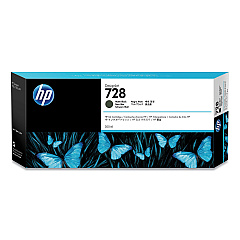
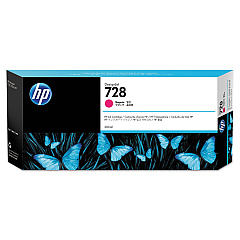
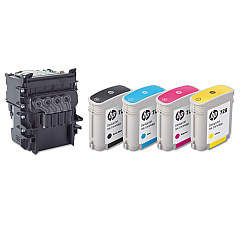
Enhance your printing experience with genuine HP DesignJet T830 36In Ink Cartridges. These high-quality cartridges are designed to deliver exceptional results for your large-format printing needs. The range includes the HP 728 Matte Black Ink Cartridge (3WX25A), as well as Yellow (F9J65A), Magenta (F9J66A), and Cyan (F9J67A) options. For extended print runs, consider the high-capacity F9K15A Yellow, F9K16A Magenta, and F9K17A Cyan cartridges. The F9J81A DesignJet Printhead ensures precise ink placement for crisp, vibrant prints. Whether you're producing architectural drawings, maps, or posters, these cartridges provide consistent, professional-quality output. Trust in HP's innovative ink technology to bring your designs to life with accurate color reproduction and sharp detail. Maximize your HP DesignJet T830 36In printer's performance with these reliable, long-lasting ink cartridges.

HP DesignJet T830 36In Ink Cartridges FAQs

  • How long do HP DesignJet T830 36In Ink Cartridges typically last?

    The lifespan of ink cartridges varies depending on usage, but on average, they can last for several months of regular printing.

  • Are these ink cartridges compatible with other HP DesignJet models?

    These cartridges are specifically designed for the HP DesignJet T830 36In printer. Always check your printer's compatibility before purchasing ink cartridges.

  • Can I use third-party ink cartridges in my HP DesignJet T830 36In printer?

    While third-party cartridges may work, using genuine HP cartridges ensures optimal print quality and helps maintain your printer's warranty.

  • How do I install a new ink cartridge in my HP DesignJet T830 36In printer?

    Open the ink cartridge cover, remove the old cartridge, insert the new one until it clicks into place, and close the cover. The printer will recognize the new cartridge automatically.

  • What's the difference between the standard and high-capacity ink cartridges?

    High-capacity cartridges contain more ink and are ideal for frequent, high-volume printing, while standard cartridges are suitable for regular use.

  • How often should I replace the HP F9J81A DesignJet Printhead?

    The printhead typically lasts much longer than ink cartridges. Replace it when print quality noticeably declines or when prompted by the printer.

  • Can I recycle used HP DesignJet T830 36In Ink Cartridges?

    Yes, HP offers a recycling program for used ink cartridges. Visit HP's website or check with local recycling centers for details.

  • What should I do if my printer doesn't recognize a new ink cartridge?

    Ensure the cartridge is properly installed and compatible with your printer model. Clean the cartridge contacts and try reinserting it. If issues persist, contact HP support.

  • How can I check the ink levels in my HP DesignJet T830 36In printer?

    You can check ink levels through the printer's control panel or by using the HP utility software on your computer.

  • Are these ink cartridges pigment-based or dye-based?

    HP DesignJet T830 36In Ink Cartridges use pigment-based inks, which offer better water resistance and longevity compared to dye-based inks.

Warehouse Locations

Policy & Agreement | Copyright © 1995-2026 BlueDogInk.com
