






HP Designjet T830 24-in Ink Cartridges

HP Designjet T830 24-in Black Ink Cartridges

HP Designjet T830 24-in Color Ink Cartridges

HP Designjet T830 24-in Printheads

HP Designjet T830 24-in Large Format Paper

HP Designjet T830 24-in Warranty and Services

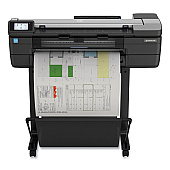
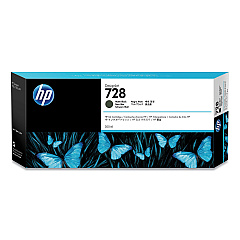
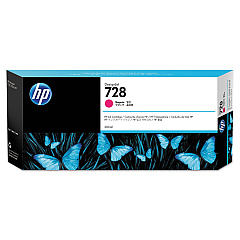
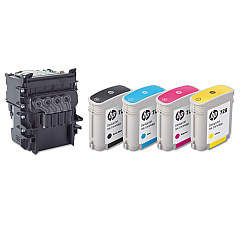
Enhance your HP Designjet T830 24-in printing experience with our premium selection of HP Designjet T830 24-in Ink Cartridges. Our range includes the HP 728 Matte Black Ink Cartridge (3WX25A) for crisp text and lines, as well as the vibrant F9J65A Yellow, F9J66A Magenta, and F9J67A Cyan cartridges for stunning color output. For consistent, high-quality prints, we offer the F9J68A Matte Black and the F9J81A DesignJet Printhead. Our collection also features the high-capacity F9K15A Yellow, F9K16A Magenta, and F9K17A Cyan cartridges, perfect for large-scale projects. These genuine HP ink cartridges ensure optimal performance, longevity, and print quality for your Designjet T830 24-in printer, making them ideal for businesses, educational institutions, government agencies, healthcare facilities, and wholesale operations requiring professional-grade large-format printing solutions.

HP Designjet T830 24-in Ink Cartridges FAQs

  • Are these ink cartridges compatible with other HP Designjet models?

    These cartridges are specifically designed for the HP Designjet T830 24-in printer. Always check your printer's compatibility before purchasing.

  • How long do these ink cartridges typically last?

    The lifespan of ink cartridges varies depending on usage and print settings. On average, they can last several months with regular use.

  • Can I use third-party ink cartridges instead of genuine HP ones?

    While third-party options exist, using genuine HP ink cartridges ensures optimal print quality and prevents potential damage to your printer.

  • How do I install these ink cartridges in my HP Designjet T830 24-in printer?

    Installation is simple. Open the ink cartridge cover, remove the old cartridge, and insert the new one until it clicks into place. Refer to your printer's manual for detailed instructions.

  • What's the difference between the standard and high-capacity ink cartridges?

    High-capacity cartridges contain more ink and are ideal for frequent, large-volume printing, while standard cartridges are suitable for regular use.

  • How should I store unused ink cartridges?

    Store unused cartridges in their original packaging at room temperature, away from direct sunlight and heat sources.

  • Can I recycle empty ink cartridges?

    Yes, HP offers a recycling program for empty ink cartridges. Check their website for details on how to participate.

  • What should I do if my printer doesn't recognize the new ink cartridge?

    Try removing and reinserting the cartridge. If the issue persists, clean the cartridge contacts and try again. If problems continue, contact HP support.

  • How often should I replace the HP F9J81A DesignJet Printhead?

    Printhead replacement frequency depends on usage. Replace it when print quality deteriorates or when prompted by your printer.

  • Do these ink cartridges come with a warranty?

    Yes, genuine HP ink cartridges come with a warranty. Check the packaging or HP's website for specific warranty details.

Warehouse Locations

Policy & Agreement | Copyright © 1995-2026 BlueDogInk.com
