





Ads

HP DesignJet T730 36-in Ink Cartridges

HP DesignJet T730 36-in Black Ink Cartridges

HP DesignJet T730 36-in Color Ink Cartridges

HP DesignJet T730 36-in Printheads

HP DesignJet T730 36-in Warranty and Services

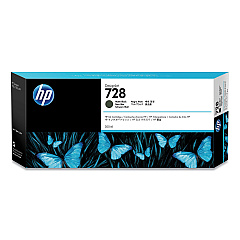
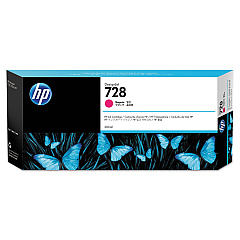
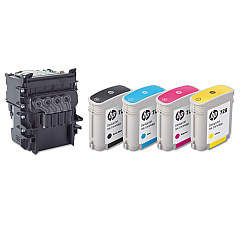
Enhance your HP DesignJet T730 36-in printer's performance with our premium selection of HP DesignJet T730 36-in Ink Cartridges. Our range includes the HP 728 Matte Black Ink Cartridge (3WX25A) and the F9J series cartridges in Yellow, Magenta, Cyan, and Matte Black. For optimal print quality, we also offer the HP F9J81A DesignJet Printhead. Looking for higher capacity options? Try our F9K series cartridges in Yellow, Magenta, and Cyan. These genuine HP ink cartridges ensure vibrant colors, sharp lines, and long-lasting prints for your technical drawings, maps, and posters. Compatible with your HP DesignJet T730 36-in printer, these cartridges are designed to deliver consistent, professional results while maximizing efficiency and minimizing waste. Trust in HP's quality and reliability for all your large-format printing needs.

HP DesignJet T730 36-in Printers Supplies FAQs

  • What ink cartridges are compatible with the HP DesignJet T730 36-in printer?

    The HP DesignJet T730 36-in printer is compatible with HP 728 and F9J/F9K series ink cartridges, including Matte Black, Yellow, Magenta, and Cyan.

  • How often should I replace the printhead in my HP DesignJet T730 36-in?

    The printhead (HP F9J81A) typically lasts for several ink cartridge changes. Replace it when print quality noticeably declines or when prompted by the printer.

  • What's the difference between the F9J and F9K series ink cartridges?

    The F9K series cartridges generally have a higher ink capacity compared to the F9J series, allowing for more prints before replacement.

  • Can I use non-HP ink cartridges in my HP DesignJet T730 36-in printer?

    While third-party cartridges may work, using genuine HP ink cartridges ensures optimal print quality and printer performance, and maintains your warranty.

  • How do I know when it's time to replace an ink cartridge?

    Your printer will display a warning when ink levels are low. You can also check ink levels through the printer's control panel or driver software.

  • Are these ink cartridges recyclable?

    Yes, HP offers a recycling program for used ink cartridges. Visit HP's website for details on their recycling initiative.

  • What's the shelf life of unopened HP DesignJet T730 36-in ink cartridges?

    Unopened cartridges typically have a shelf life of 1-2 years from the date of manufacture when stored properly.

  • Can I use the same ink cartridges for both color and black & white printing?

    Yes, the HP DesignJet T730 36-in uses the same cartridges for both color and black & white printing. The printer will use the appropriate inks based on your print job.

  • How many pages can I print with one set of ink cartridges?

    Page yield varies depending on the content being printed, print settings, and environmental conditions. Check the product specifications for estimated page yields.

  • Do I need to replace all ink cartridges at the same time?

    No, you only need to replace the cartridge that has run out of ink. However, it's a good practice to keep all cartridges at similar levels for optimal print quality.

Warehouse Locations

Policy & Agreement | Copyright © 1995-2026 BlueDogInk.com
