




Ads

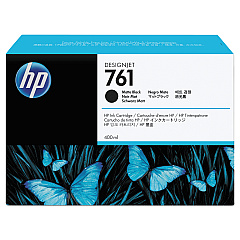
HP DesignJet T7100 Mono Black Ink Cartridges

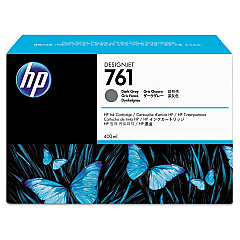
HP DesignJet T7100 Mono Color Ink Cartridges

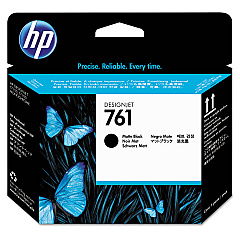
HP DesignJet T7100 Mono Printheads

Enhance your large-format printing with genuine HP DesignJet T7100 Mono Ink Cartridges. These high-quality supplies are specifically designed for the HP DesignJet T7100 Mono printer, ensuring optimal performance and exceptional print quality. The lineup includes the HP CH648A Printhead, which delivers precise droplet placement for sharp, crisp lines and text. The HP CM991A Matte Black Ink Cartridge produces deep, rich blacks perfect for technical drawings and maps, while the HP CM996A Dark Gray Ink Cartridge offers smooth grayscale transitions for stunning monochrome images. These ink cartridges are ideal for businesses, educational institutions, government agencies, and healthcare facilities that require high-volume, professional-grade printing. With HP DesignJet T7100 Mono Ink Cartridges, you'll experience consistent, fade-resistant results that meet the demands of your large-format printing needs.

HP DesignJet T7100 Mono Ink Cartridges FAQs

  • What is the page yield for these ink cartridges?

    Page yield varies depending on the specific cartridge and print content. For accurate yield information, please refer to the product specifications on the HP website.

  • Are these ink cartridges compatible with other HP DesignJet models?

    These ink cartridges are specifically designed for the HP DesignJet T7100 Mono printer. They may not be compatible with other models.

  • How long do these ink cartridges last before expiring?

    Typically, HP ink cartridges have a shelf life of 24 months from the date of manufacture when stored properly.

  • Can I use third-party ink cartridges instead of genuine HP cartridges?

    While third-party cartridges may work, using genuine HP cartridges ensures optimal print quality and printer performance, and maintains your printer's warranty.

  • How do I install these ink cartridges?

    Installation instructions are included with the cartridges. Generally, you'll need to open the printer's ink cartridge access door, remove the old cartridge, and insert the new one until it clicks into place.

  • What should I do if my printer doesn't recognize the new ink cartridge?

    Try removing and reinserting the cartridge. If the issue persists, clean the cartridge contacts and try again. If problems continue, contact HP support.

  • Are these ink cartridges environmentally friendly?

    HP offers a recycling program for used ink cartridges. You can return empty cartridges to HP for free, environmentally responsible recycling.

  • How often should I replace the printhead?

    Printhead lifespan varies based on usage. Replace it when print quality noticeably declines or when prompted by the printer.

  • Can I mix old and new ink cartridges in my printer?

    It's best to use cartridges of similar age and lot numbers for consistent print quality. However, mixing old and new cartridges won't damage your printer.

  • What's the difference between Matte Black and Dark Gray ink?

    Matte Black is used for deep blacks in text and line drawings, while Dark Gray provides smooth grayscale transitions in images and graphics.

Warehouse Locations

Policy & Agreement | Copyright © 1995-2026 BlueDogInk.com
