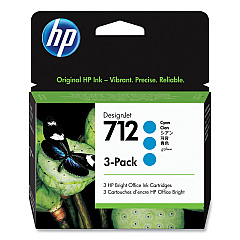
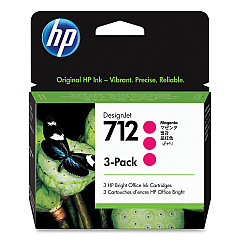
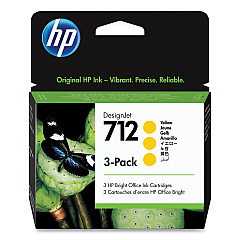
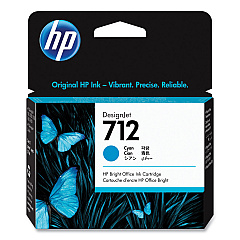
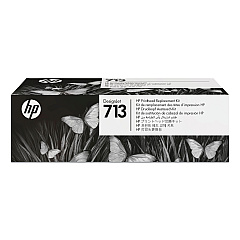





HP DesignJet T650 36" Large-Format Wireless Plotter Ink Cartridges

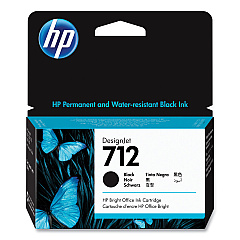
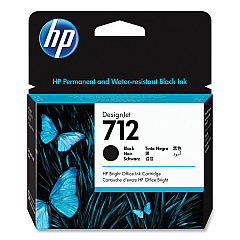
HP DesignJet T650 36" Large-Format Wireless Plotter Black Ink Cartridges

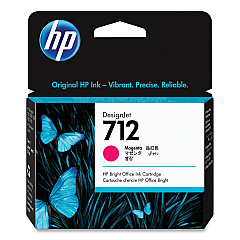
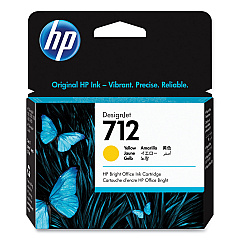
HP DesignJet T650 36" Large-Format Wireless Plotter Color Ink Cartridges

HP DesignJet T650 36" Large-Format Wireless Plotter Printheads

Enhance your large-format printing capabilities with HP DesignJet T650 36" Large-Format Wireless Plotter Ink Cartridges. This comprehensive range includes HP 712 cartridges in Cyan (3ED67A, 3ED77A), Magenta (3ED68A, 3ED78A), Yellow (3ED69A, 3ED79A), and Black (3ED70A, 3ED71A), ensuring vibrant, high-quality outputs for your technical drawings, maps, and posters. The HP 713 Printhead (3ED58A) completes the set, guaranteeing precise ink placement for sharp, detailed prints. These genuine HP supplies are designed to work seamlessly with your DesignJet T650 plotter, delivering consistent performance and longevity. Whether you're in architecture, engineering, or any field requiring large-format printing, these cartridges provide the reliability and color accuracy needed for professional results. Invest in these top-quality ink cartridges to maximize your plotter's potential and produce stunning, long-lasting prints.

HP DesignJet T650 36" Large-Format Wireless Plotter Ink Cartridges FAQs

  • What is the page yield for HP 712 ink cartridges?

    Page yield varies depending on the specific cartridge and printing conditions. For accurate yield information, please refer to the product specifications on the HP website.

  • Are these ink cartridges compatible with other HP DesignJet models?

    These cartridges are specifically designed for the HP DesignJet T650 36" plotter. Always check your printer's compatibility before purchasing ink cartridges.

  • How often should I replace the HP 713 Printhead?

    Printhead lifespan varies based on usage. Replace it when print quality deteriorates or when prompted by the printer.

  • Can I use third-party ink cartridges in my HP DesignJet T650?

    While third-party cartridges may work, using genuine HP cartridges ensures optimal print quality and prevents potential damage to your printer.

  • How do I install new ink cartridges in the HP DesignJet T650?

    Follow the instructions in your printer's user manual. Generally, you'll need to open the ink cartridge cover, remove the old cartridge, and insert the new one until it clicks into place.

  • What's the shelf life of unopened HP 712 ink cartridges?

    Unopened cartridges typically have a shelf life of 1-2 years. Check the expiration date on the packaging for specific information.

  • Are these ink cartridges recyclable?

    Yes, HP offers a recycling program for used ink cartridges. Visit the HP website for details on how to recycle your used cartridges.

  • What should I do if my prints appear faded or have streaks?

    First, check ink levels and replace low cartridges. If the issue persists, run a printhead cleaning cycle or consider replacing the printhead.

  • Can I mix different capacities of HP 712 cartridges (e.g., standard and high-yield)?

    Yes, you can use different capacities of HP 712 cartridges in your DesignJet T650, as long as they are the correct model number for your printer.

  • How can I maximize the lifespan of my ink cartridges?

    Print regularly to prevent ink from drying, store cartridges properly when not in use, and avoid leaving the printer idle for extended periods.

Warehouse Locations

Policy & Agreement | Copyright © 1995-2026 BlueDogInk.com
