





HP Designjet T3500 Production eMFP 36-in Printers Supplies

Ads

HP Designjet T3500 Production eMFP 36-in Black Ink Cartridges

HP Designjet T3500 Production eMFP 36-in Color Ink Cartridges

HP Designjet T3500 Production eMFP 36-in Warranty and Services

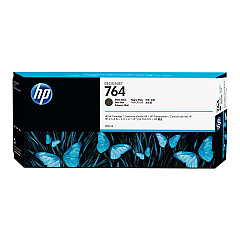
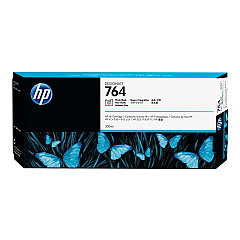
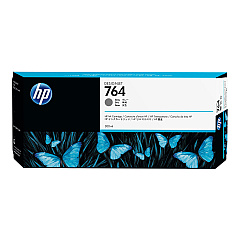
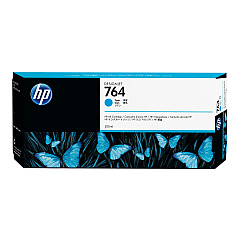
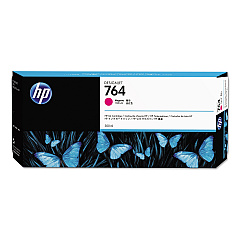
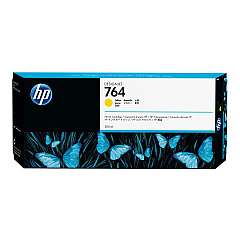
Enhance your printing capabilities with HP Designjet T3500 Production eMFP 36-in Ink Cartridges. These high-quality ink cartridges are designed specifically for the HP Designjet T3500 Production eMFP, ensuring optimal performance and stunning print results. The set includes six original HP 764 ink cartridges: Cyan (C1Q13A), Magenta (C1Q14A), Yellow (C1Q15A), Matte Black (C1Q16A), Photo Black (C1Q17A), and Gray (C1Q18A). These cartridges deliver vibrant colors, deep blacks, and smooth grayscale transitions, perfect for producing professional-grade technical drawings, maps, and presentations. With HP's innovative ink formulation, you'll experience faster drying times, smudge resistance, and long-lasting prints. Trust in the reliability and consistency of HP Designjet T3500 Production eMFP 36-in Ink Cartridges for all your large-format printing needs.

HP Designjet T3500 Production eMFP 36-in Printers Supplies FAQs

  • What is the page yield for these ink cartridges?

    The page yield varies depending on the specific cartridge and printing conditions. It's best to check the product specifications for each individual cartridge.

  • Are these cartridges compatible with other HP Designjet models?

    These cartridges are specifically designed for the HP Designjet T3500 Production eMFP 36-in. They may not be compatible with other models.

  • How long do these ink cartridges last?

    The lifespan of the cartridges depends on usage frequency and print volume. Under normal conditions, they can last several months.

  • Can I use third-party ink cartridges instead of original HP cartridges?

    While third-party cartridges may work, using original HP cartridges ensures the best print quality and printer performance.

  • How do I install these ink cartridges?

    Installation is simple. Open the ink cartridge cover, remove the old cartridge, and insert the new one until it clicks into place.

  • Are these cartridges environmentally friendly?

    HP offers a recycling program for used ink cartridges, promoting environmental sustainability.

  • What should I do if my printer doesn't recognize the new cartridge?

    Try removing and reinserting the cartridge. If the issue persists, clean the cartridge contacts and try again.

  • Can I buy these cartridges individually?

    Yes, each color cartridge can be purchased separately as needed.

  • How can I check the ink levels in my printer?

    You can check ink levels through the printer's control panel or the HP software on your computer.

  • What's the difference between Matte Black and Photo Black ink?

    Matte Black is ideal for text and line drawings, while Photo Black provides deeper blacks for high-quality photo prints.

Warehouse Locations

Policy & Agreement | Copyright © 1995-2026 BlueDogInk.com
