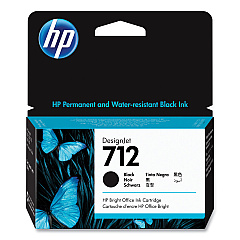
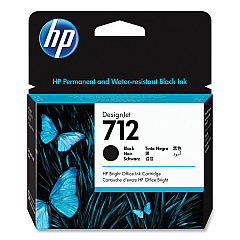
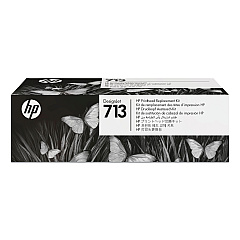





HP DesignJet T250 24" Black Ink Cartridges

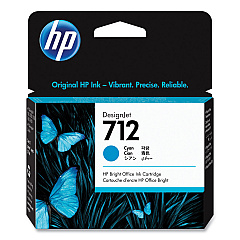
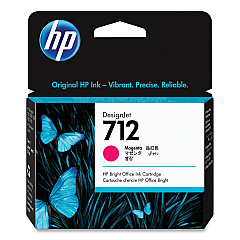
HP DesignJet T250 24" Color Ink Cartridges

HP DesignJet T250 24" Printheads

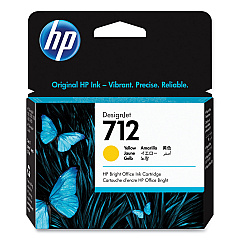
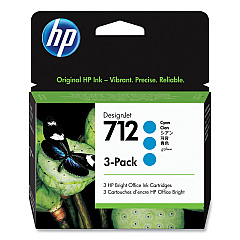
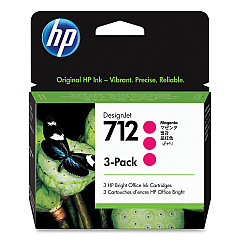
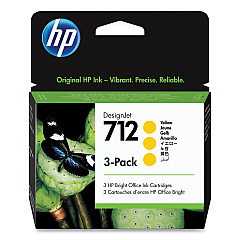
Enhance your printing capabilities with HP DesignJet T250 24" Ink Cartridges, designed for optimal performance and vibrant output. This comprehensive range includes HP 712 cartridges in Cyan (3ED67A, 3ED77A), Magenta (3ED68A, 3ED78A), Yellow (3ED69A, 3ED79A), and Black (3ED70A, 3ED71A), ensuring consistent, high-quality results for all your large-format printing needs. The HP 713 Printhead (3ED58A) completes the set, delivering precise ink placement for sharp, detailed prints. Whether you're producing technical drawings, maps, or presentations, these genuine HP supplies guarantee exceptional color accuracy and long-lasting prints. Compatible with the HP DesignJet T250 24" printer, these cartridges offer reliability and efficiency for businesses, educational institutions, and design professionals seeking top-tier printing solutions.

HP DesignJet T250 24" Printers Supplies FAQs

  • What is the page yield for HP 712 ink cartridges?

    Page yield varies depending on the specific cartridge and printing conditions. For accurate yield information, please refer to the product specifications on the HP website.

  • Are these ink cartridges compatible with other HP DesignJet models?

    These cartridges are specifically designed for the HP DesignJet T250 24" printer. Always check your printer's compatibility before purchasing ink cartridges.

  • How often should I replace the HP 713 Printhead?

    The printhead typically lasts for the lifetime of the printer under normal usage conditions. However, if print quality deteriorates, you may need to replace it.

  • Can I use third-party ink cartridges in my HP DesignJet T250 24" printer?

    While third-party cartridges may work, HP recommends using genuine HP ink cartridges to ensure optimal print quality and printer performance.

  • How do I install new ink cartridges in the HP DesignJet T250 24" printer?

    To install new cartridges, open the ink cartridge cover, remove the old cartridge, insert the new one, and close the cover. The printer will recognize the new cartridge automatically.

  • What's the difference between the standard and high-capacity HP 712 cartridges?

    High-capacity cartridges contain more ink and are ideal for high-volume printing, while standard cartridges are suitable for regular use. Check the product numbers to distinguish between them.

  • How should I store unused ink cartridges?

    Store unused cartridges in their original packaging at room temperature, away from direct sunlight and heat sources, to maintain their quality and shelf life.

  • Can I recycle used HP ink cartridges?

    Yes, HP offers a free recycling program for used ink cartridges. Visit the HP website or check with your local office supply store for recycling options.

  • How can I troubleshoot print quality issues with my HP DesignJet T250 24" printer?

    Start by checking ink levels, cleaning the printhead, and ensuring you're using genuine HP ink cartridges. If issues persist, consult the printer's user manual or contact HP support.

  • Are these ink cartridges suitable for outdoor signage printing?

    While the HP DesignJet T250 24" printer and its inks produce high-quality prints, for long-lasting outdoor signage, consider using HP's specialized outdoor printing solutions and media.

Warehouse Locations

Policy & Agreement | Copyright © 1995-2026 BlueDogInk.com
