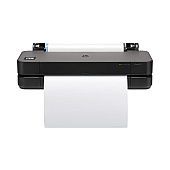
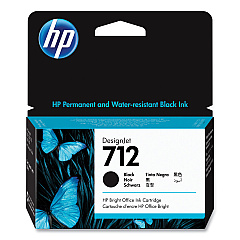
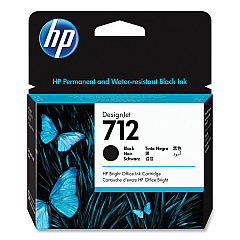





HP DesignJet T230 Black Ink Cartridges

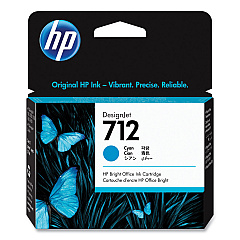
HP DesignJet T230 Color Ink Cartridges

HP DesignJet T230 Printheads

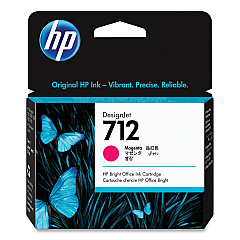
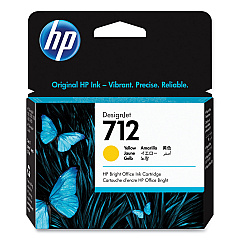
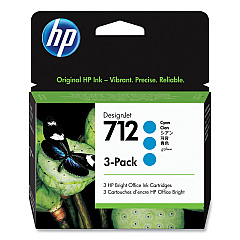
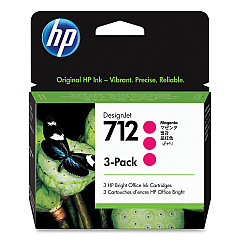
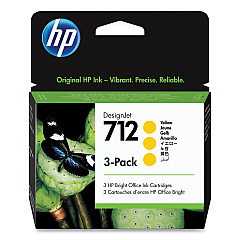
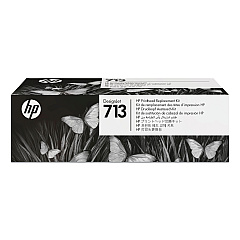
Enhance your HP DesignJet T230 printer's performance with genuine HP DesignJet T230 Ink Cartridges. These high-quality ink cartridges ensure vibrant, long-lasting prints for your large-format projects. The range includes HP 712 cartridges in Cyan (3ED67A, 3ED77A), Magenta (3ED68A, 3ED78A), Yellow (3ED69A, 3ED79A), and Black (3ED70A, 3ED71A), providing a complete color spectrum for your printing needs. The HP 713 Printhead (3ED58A) complements these cartridges, ensuring precise ink placement and exceptional print quality. Whether you're printing technical drawings, maps, or posters, these ink cartridges deliver sharp lines, vivid colors, and professional results. Designed specifically for the HP DesignJet T230 printer, these cartridges offer reliability, consistency, and optimal performance, making them the perfect choice for businesses, educational institutions, and design professionals seeking top-tier print quality.

HP DesignJet T230 Printers Supplies FAQs

  • What ink cartridges are compatible with the HP DesignJet T230 printer?

    The HP DesignJet T230 printer is compatible with HP 712 ink cartridges in Cyan, Magenta, Yellow, and Black, as well as the HP 713 Printhead.

  • How long do HP DesignJet T230 ink cartridges typically last?

    The lifespan of ink cartridges varies depending on usage, but HP 712 cartridges are designed for high-volume printing and can last for several hundred pages.

  • Can I use non-HP ink cartridges in my HP DesignJet T230 printer?

    While third-party cartridges may work, using genuine HP ink cartridges ensures optimal print quality and prevents potential damage to your printer.

  • How do I install new ink cartridges in the HP DesignJet T230?

    To install new cartridges, open the ink cartridge cover, remove the old cartridge, insert the new one, and close the cover. The printer will recognize the new cartridge automatically.

  • What's the difference between the standard and high-capacity HP 712 cartridges?

    High-capacity cartridges contain more ink and are ideal for frequent, high-volume printing, while standard cartridges are suitable for regular use.

  • How often should I replace the HP 713 Printhead?

    The HP 713 Printhead typically lasts much longer than ink cartridges. Replace it when print quality noticeably declines or when prompted by the printer.

  • Are HP DesignJet T230 ink cartridges recyclable?

    Yes, HP offers a recycling program for used ink cartridges. You can return them to HP or participating retailers for environmentally friendly disposal.

  • Can I use HP DesignJet T230 ink cartridges in other HP printer models?

    HP 712 ink cartridges and the HP 713 Printhead are specifically designed for the HP DesignJet T230 and may not be compatible with other printer models.

  • How can I check the ink levels in my HP DesignJet T230 printer?

    You can check ink levels through the printer's control panel or by using the HP DesignJet Utility software on your computer.

  • What should I do if my HP DesignJet T230 doesn't recognize a new ink cartridge?

    First, ensure the cartridge is properly installed. If the issue persists, clean the cartridge contacts and try again. If problems continue, contact HP support for assistance.

Warehouse Locations

Policy & Agreement | Copyright © 1995-2026 BlueDogInk.com
