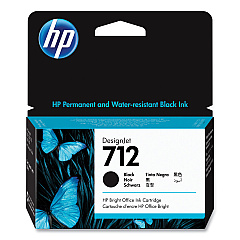
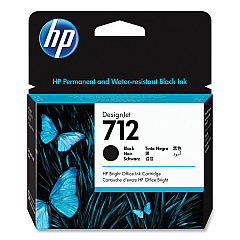
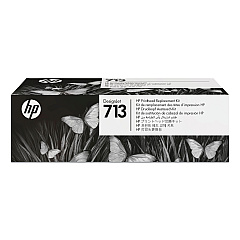





HP DesignJet Studio Steel 24-in Black Ink Cartridges

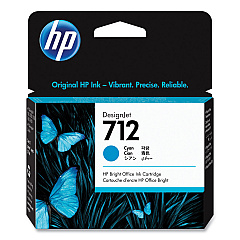
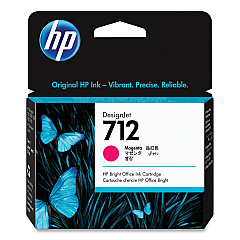
HP DesignJet Studio Steel 24-in Color Ink Cartridges

HP DesignJet Studio Steel 24-in Printheads

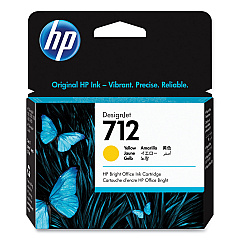
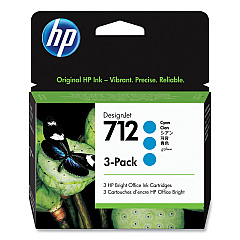
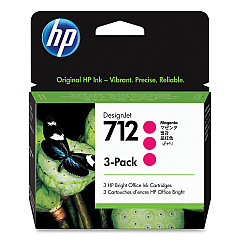
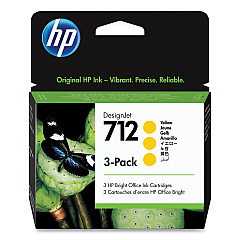
Enhance your HP DesignJet Studio Steel 24-in printer's performance with our premium HP DesignJet Studio Steel 24-in Ink Cartridges. This comprehensive range includes HP 712 cartridges in Cyan (3ED67A, 3ED77A), Magenta (3ED68A, 3ED78A), Yellow (3ED69A, 3ED79A), and Black (3ED70A, 3ED71A), ensuring vibrant, long-lasting prints. The HP 713 Printhead (3ED58A) completes the set, guaranteeing precise ink placement for exceptional print quality. These genuine HP cartridges are designed to work seamlessly with your DesignJet Studio Steel 24-in printer, delivering consistent, professional-grade results for all your large-format printing needs. Whether you're producing architectural drawings, posters, or technical documents, these ink cartridges provide the reliability and color accuracy required for your most demanding projects. Trust in HP's innovative technology to keep your printer running at peak efficiency while minimizing downtime and maximizing productivity.

HP DesignJet Studio Steel 24-in Ink Cartridges FAQs

  • What is the difference between the two black ink cartridges?

    The HP 712 (3ED70A) and HP 712 (3ED71A) are both black ink cartridges, but they may have different capacities or be designed for different print volumes. Always check your printer's specifications to ensure you're using the correct cartridge.

  • Are these ink cartridges compatible with other HP DesignJet models?

    These cartridges are specifically designed for the HP DesignJet Studio Steel 24-in printer. They may not be compatible with other models. Always check your printer's manual or HP's website for compatibility information.

  • How long do these ink cartridges typically last?

    The lifespan of ink cartridges varies depending on usage, print settings, and the types of documents being printed. On average, they can last several months with regular use.

  • Can I use third-party ink cartridges instead of genuine HP cartridges?

    While third-party cartridges may be available, using genuine HP cartridges ensures optimal print quality and printer performance. Using non-HP cartridges may void your printer's warranty.

  • How often should I replace the HP 713 Printhead?

    The HP 713 Printhead (3ED58A) typically lasts much longer than ink cartridges. It should only need replacement if print quality deteriorates or if prompted by the printer.

  • Are these cartridges environmentally friendly?

    HP offers a recycling program for used ink cartridges. You can return empty cartridges to HP or participating retailers for proper recycling, reducing environmental impact.

  • What should I do if my printer doesn't recognize a new cartridge?

    First, ensure the cartridge is properly installed. If the issue persists, try cleaning the cartridge contacts and reinserting it. If problems continue, contact HP support for assistance.

  • Can I buy these cartridges in bulk?

    Yes, many retailers offer bulk purchasing options for HP ink cartridges. This can be cost-effective for high-volume printing environments.

  • How should I store unused ink cartridges?

    Store unused cartridges in their original packaging at room temperature. Avoid extreme temperatures and direct sunlight to maintain cartridge quality.

  • What's the shelf life of these ink cartridges?

    Unopened HP ink cartridges typically have a shelf life of 1-2 years from the date of manufacture. Always check the expiration date on the packaging before use.

Warehouse Locations

Policy & Agreement | Copyright © 1995-2026 BlueDogInk.com
