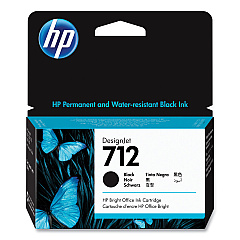
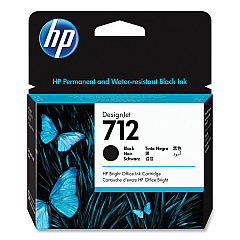





HP DesignJet Studio 36-in Black Ink Cartridges

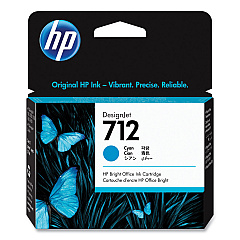
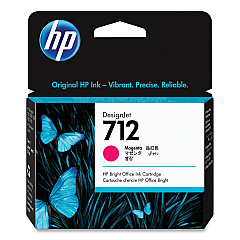
HP DesignJet Studio 36-in Color Ink Cartridges

HP DesignJet Studio 36-in Printheads

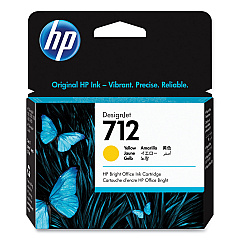
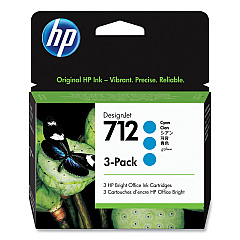
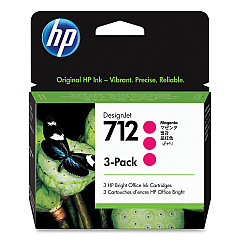
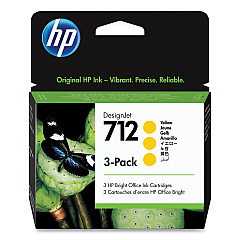
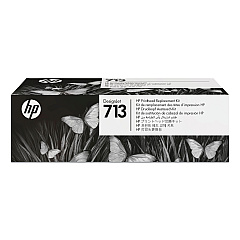
Enhance your printing capabilities with genuine HP DesignJet Studio 36-in Ink Cartridges. These high-quality cartridges are specifically designed for the HP DesignJet Studio 36-in printer, ensuring optimal performance and stunning results. The range includes HP 712 cartridges in Cyan (3ED67A, 3ED77A), Magenta (3ED68A, 3ED78A), Yellow (3ED69A, 3ED79A), and Black (3ED70A, 3ED71A), providing vibrant colors and crisp text. The HP 713 Printhead (3ED58A) completes the set, guaranteeing precise ink placement for professional-grade prints. Whether you're producing architectural drawings, posters, or technical documents, these cartridges deliver exceptional quality and reliability. With HP DesignJet Studio 36-in Ink Cartridges, you can trust that your large-format printing needs are met with superior results, making them an essential choice for businesses, educational institutions, and creative professionals alike.

HP DesignJet Studio 36-in Ink Cartridges FAQs

  • What is the page yield for HP 712 ink cartridges?

    The page yield varies depending on the specific cartridge and printing conditions. It's best to check the product specifications for accurate yield information.

  • Are these ink cartridges compatible with other HP DesignJet models?

    These cartridges are specifically designed for the HP DesignJet Studio 36-in printer. Always check your printer's compatibility before purchasing ink cartridges.

  • How often should I replace the HP 713 Printhead?

    The printhead typically lasts for the lifetime of the printer under normal usage conditions. However, if print quality deteriorates, you may need to replace it.

  • Can I use third-party ink cartridges in my HP DesignJet Studio 36-in printer?

    While third-party cartridges may work, using genuine HP cartridges ensures the best print quality and helps maintain your printer's warranty.

  • How do I install new ink cartridges in the HP DesignJet Studio 36-in printer?

    Refer to your printer's user manual for step-by-step instructions on replacing ink cartridges. Generally, it involves opening the ink cartridge cover and following the on-screen prompts.

  • What's the difference between the two black ink cartridges (3ED70A and 3ED71A)?

    Both are black ink cartridges, but they may have different capacities or be designed for different print modes. Check the product specifications for detailed information.

  • How long do unopened HP DesignJet Studio 36-in Ink Cartridges last?

    Unopened cartridges typically have a shelf life of 1-2 years from the date of manufacture. Always check the expiration date on the package.

  • Can I recycle used HP ink cartridges?

    Yes, HP offers a recycling program for used ink cartridges. Visit HP's website or check with local recycling centers for more information.

  • How can I troubleshoot print quality issues with my HP DesignJet Studio 36-in printer?

    Start by checking ink levels, cleaning printheads, and ensuring you're using genuine HP cartridges. If issues persist, consult the printer's troubleshooting guide or contact HP support.

  • Are these ink cartridges available in high-yield versions?

    Check the product specifications for each cartridge to see if high-yield versions are available. Not all cartridges may have high-yield options.

Warehouse Locations

Policy & Agreement | Copyright © 1995-2026 BlueDogInk.com
