




Ads

HP Color LaserJet Pro MFP M183 Black Toner Cartridges

HP Color LaserJet Pro MFP M183 Color Toner Cartridges

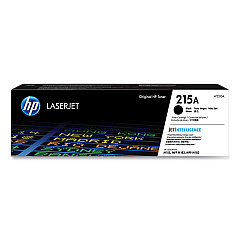
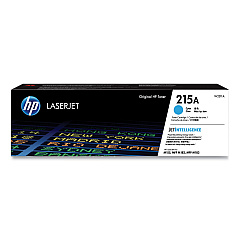
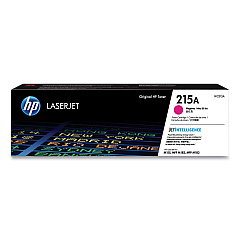
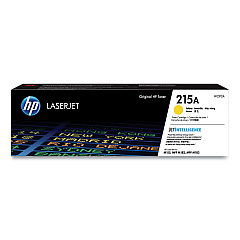
Enhance your printing experience with genuine HP Color LaserJet Pro MFP M183 Toner Cartridges. These high-quality cartridges are designed to deliver exceptional color accuracy and sharp text for all your professional documents. The complete set includes HP 215A Black (W2310A), Cyan (W2311A), Magenta (W2313A), and Yellow (W2312A) toner cartridges, ensuring vibrant and consistent results for every print job. Compatible with the HP Color LaserJet Pro MFP M183 printer, these cartridges offer reliable performance and long-lasting output. Whether you're printing reports, presentations, or marketing materials, these toner cartridges provide the quality and efficiency your business demands. Invest in genuine HP supplies to maximize your printer's potential and maintain its longevity. Trust in HP's advanced technology to deliver crisp, professional-grade prints that make a lasting impression.

HP Color LaserJet Pro MFP M183 Printers Supplies FAQs

  • How many pages can I print with HP 215A toner cartridges?

    The page yield varies by color: Black yields approximately 1,050 pages, while Cyan, Magenta, and Yellow each yield about 850 pages.

  • Are these toner cartridges compatible with other HP printers?

    These cartridges are specifically designed for the HP Color LaserJet Pro MFP M183 series and may not be compatible with other models.

  • How can I tell if my toner cartridge is genuine HP?

    Look for the HP hologram security label and check the cartridge's serial number on HP's website to verify authenticity.

  • What's the shelf life of unopened HP toner cartridges?

    Unopened HP toner cartridges typically have a shelf life of about 2.5 years from the date of manufacture.

  • Can I recycle used HP toner cartridges?

    Yes, HP offers a free recycling program for used toner cartridges through their HP Planet Partners initiative.

  • How do I install new toner cartridges in my HP Color LaserJet Pro MFP M183?

    Open the front cover, remove the old cartridge, and insert the new one until it clicks into place. Repeat for each color.

  • What should I do if I get a 'low toner' warning?

    You can continue printing, but it's advisable to have a replacement cartridge ready to avoid interruptions in your work.

  • Are these toner cartridges covered by a warranty?

    Yes, HP toner cartridges come with a limited warranty that covers defects in materials and workmanship.

  • Can I use third-party or refilled cartridges in my HP Color LaserJet Pro MFP M183?

    While you can, it's not recommended as it may void your printer warranty and could potentially damage your printer or affect print quality.

  • How can I maximize the lifespan of my toner cartridges?

    Use draft mode for internal documents, print in black and white when color isn't necessary, and keep your printer in a clean, dry environment.

Warehouse Locations

Policy & Agreement | Copyright © 1995-2026 BlueDogInk.com
