




Ads

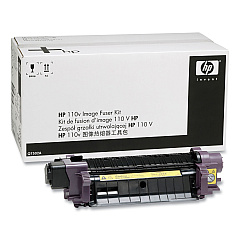
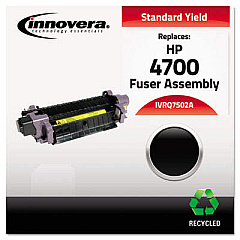
HP Color LaserJet CM4730 fsk MFP Fusers

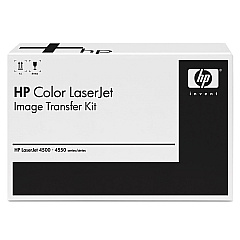
HP Color LaserJet CM4730 fsk MFP Transfer Units

Ensure top-quality prints with genuine HP Color LaserJet CM4730 fsk MFP Toner Cartridges. These high-performance supplies are designed specifically for your HP Color LaserJet CM4730 fsk MFP, delivering exceptional color accuracy and sharp text. The lineup includes the HP Q7502A Fuser, HP Q7503A Fuser Unit, and HP Q7504A Image Transfer Kit, each playing a crucial role in maintaining your printer's optimal performance. These cartridges offer reliable, long-lasting results, reducing downtime and increasing productivity in busy office environments. Whether you're printing important business documents, vibrant marketing materials, or detailed reports, these toner cartridges ensure consistent, professional-quality output. Invest in genuine HP supplies to protect your printer and guarantee the best possible results for all your printing needs.

HP Color LaserJet CM4730 fsk MFP Toner Cartridges FAQs

  • What is the difference between the HP Q7502A and HP Q7503A Fuser?

    The HP Q7502A is designed for 110V power systems, while the HP Q7503A is for 220V systems. Choose the appropriate one based on your local power supply.

  • How often should I replace the HP Q7504A Image Transfer Kit?

    The HP Q7504A Image Transfer Kit typically needs replacement after approximately 120,000 pages, but this can vary based on usage and print content.

  • Are these toner cartridges compatible with other HP printer models?

    These cartridges are specifically designed for the HP Color LaserJet CM4730 fsk MFP. Always check your printer's compatibility before purchasing supplies.

  • What is the average page yield for these toner cartridges?

    Page yield varies by cartridge. For specific yield information, please refer to the product details for each individual cartridge.

  • Can I use third-party toner cartridges instead of genuine HP ones?

    While third-party options exist, using genuine HP cartridges ensures optimal print quality and helps maintain your printer's warranty.

  • How can I tell when it's time to replace my toner cartridge?

    Your printer will typically display a warning message when toner levels are low. You may also notice a decrease in print quality.

  • Are these toner cartridges environmentally friendly?

    HP offers a recycling program for used cartridges, helping to reduce environmental impact. Check HP's website for details on their recycling initiatives.

  • What should I do if I experience print quality issues after installing new cartridges?

    First, ensure the cartridges are properly installed. If issues persist, run your printer's cleaning and calibration cycles. If problems continue, contact HP support.

  • Can I store unused toner cartridges for long periods?

    Yes, but store them in a cool, dry place away from direct sunlight. Keep them in their original packaging until ready for use.

  • Do these cartridges come with a warranty?

    Yes, genuine HP toner cartridges typically come with a warranty. Check the packaging or HP's website for specific warranty information.

Warehouse Locations

Policy & Agreement | Copyright © 1995-2026 BlueDogInk.com
