




Ads

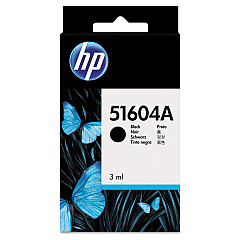
HP 2225 ThinkJet Black Ink Cartridges

Ensure uninterrupted printing with genuine HP 2225 ThinkJet Ink Cartridges. These high-quality cartridges are specifically designed for optimal performance in your HP 2225 ThinkJet printer, delivering crisp, clear text and graphics every time. The HP 51604A Black Ink Cartridge is the perfect choice for businesses, educational institutions, government offices, and healthcare facilities that demand reliable, professional-grade printing. With its long-lasting formula, you'll enjoy consistent output and reduced downtime. These cartridges are easy to install and maintain, making them ideal for busy environments where efficiency is key. Trust in the superior quality of HP 2225 ThinkJet Ink Cartridges to meet all your printing needs, whether you're producing important documents, reports, or everyday correspondence. Invest in genuine HP cartridges for dependable results and protect your printer's longevity.

HP 2225 ThinkJet Printers Supplies FAQs

  • How long does an HP 51604A Black Ink Cartridge typically last?

    The lifespan of an HP 51604A Black Ink Cartridge varies depending on usage, but it typically yields around 500 pages.

  • Are these ink cartridges compatible with other HP printer models?

    The HP 51604A Black Ink Cartridge is specifically designed for the HP 2225 ThinkJet printer and may not be compatible with other models.

  • How can I tell if my HP 2225 ThinkJet Ink Cartridge needs replacement?

    You'll notice a decrease in print quality or faded text when your cartridge is running low on ink.

  • Can I use third-party ink cartridges in my HP 2225 ThinkJet printer?

    While third-party cartridges may work, using genuine HP cartridges ensures optimal performance and protects your printer's warranty.

  • How should I store unused HP 2225 ThinkJet Ink Cartridges?

    Store cartridges in a cool, dry place at room temperature, and keep them in their original packaging until ready for use.

  • Is the HP 51604A Black Ink Cartridge recyclable?

    Yes, HP offers a recycling program for used ink cartridges. Check their website for details on how to participate.

  • How do I install a new HP 2225 ThinkJet Ink Cartridge?

    Open the printer's cartridge access door, remove the old cartridge, insert the new one, and close the door. Refer to your printer's manual for specific instructions.

  • What should I do if my printer doesn't recognize the new ink cartridge?

    Try removing and reinserting the cartridge, cleaning the contacts, or running a printer diagnostic. If issues persist, contact HP support.

  • Can I refill my HP 51604A Black Ink Cartridge?

    HP does not recommend refilling cartridges as it may affect print quality and potentially damage your printer.

  • What's the shelf life of an unopened HP 2225 ThinkJet Ink Cartridge?

    Unopened cartridges typically have a shelf life of 24 months from the date of manufacture when stored properly.

Warehouse Locations

Policy & Agreement | Copyright © 1995-2026 BlueDogInk.com
