













Ads

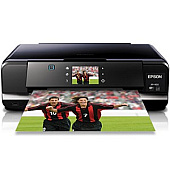
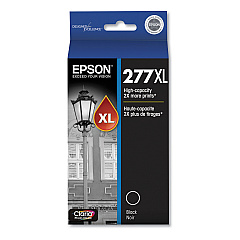
Epson XP-950 Black Ink Cartridges

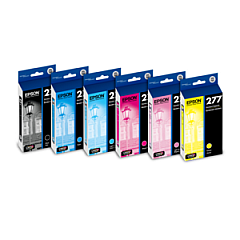
Epson XP-950 Ink Set

Epson XP-950 Photo Paper

Discover premium-quality Epson XP-950 Ink Cartridges for your printing needs. Our comprehensive range includes the Epson T277 Ink Cartridge Set and individual cartridges in black, cyan, magenta, yellow, light cyan, and light magenta. For high-volume printing, choose the Epson T277XL series, offering extended yield options. The Epson T277920 Color Multi-Pack provides convenience for multi-color projects. Whether you're a business professional, educator, or healthcare provider, these genuine Epson cartridges ensure crisp text and vibrant images. Compatible with the Epson XP-950 printer, these cartridges deliver consistent, professional-quality results for all your documents and photos. Trust in the reliability and performance of Epson XP-950 Ink Cartridges to meet the diverse printing demands of your organization, from everyday correspondence to high-impact marketing materials.

Epson XP-950 Ink Cartridges FAQs

  • What is the difference between T277 and T277XL cartridges?

    T277XL cartridges have a higher ink capacity and yield more pages than standard T277 cartridges.

  • Are these cartridges compatible with other Epson printers?

    These cartridges are specifically designed for the Epson XP-950 printer. Always check your printer's compatibility before purchasing.

  • How long do these ink cartridges typically last?

    The lifespan of ink cartridges varies depending on usage, but XL cartridges generally last longer than standard ones.

  • Can I use third-party ink cartridges in my Epson XP-950?

    While third-party cartridges may work, using genuine Epson cartridges ensures optimal print quality and printer performance.

  • What's included in the T277920 Color Multi-Pack?

    The T277920 Color Multi-Pack typically includes cyan, magenta, yellow, light cyan, and light magenta cartridges.

  • How do I install these ink cartridges?

    Follow the instructions in your printer's manual. Generally, you'll need to turn on the printer, open the cartridge cover, remove the old cartridge, and insert the new one until it clicks into place.

  • Are these cartridges environmentally friendly?

    Epson offers a cartridge recycling program. Check their website for details on how to recycle your used cartridges.

  • What should I do if my printer doesn't recognize the new cartridge?

    Ensure the cartridge is properly installed and compatible with your printer. If issues persist, clean the cartridge contacts and try again.

  • How can I extend the life of my ink cartridges?

    Print only when necessary, use draft mode for non-critical documents, and keep your printer on to prevent ink from drying out.

  • Do these cartridges come with a warranty?

    Yes, genuine Epson cartridges typically come with a limited warranty. Check the packaging or Epson's website for specific warranty information.

Warehouse Locations

Policy & Agreement | Copyright © 1995-2026 BlueDogInk.com
