













Ads

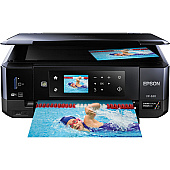
Epson XP-630 Photo Paper

Enhance your printing experience with genuine Epson XP-630 Ink Cartridges. These high-quality cartridges are designed specifically for the Epson XP-630 printer, ensuring optimal performance and stunning results. Choose from a range of individual colors including Black, Photo Black, Cyan, Magenta, and Yellow, or opt for convenient multi-packs and combo packs. The T410 series offers standard capacity, while the T410XL series provides high-yield options for more economical printing. Whether you're printing documents, photos, or creative projects, these Epson ink cartridges deliver crisp text and vibrant colors. Compatible with Epson's Claria Premium inks, these cartridges produce fade-resistant prints that last up to 300 years in album storage. Trust in the reliability and quality of genuine Epson XP-630 Ink Cartridges for all your printing needs.

Epson XP-630 Ink Cartridges FAQs

  • What is the difference between T410 and T410XL cartridges?

    T410 are standard capacity cartridges, while T410XL are high-yield cartridges that contain more ink and are more economical for frequent printing.

  • Are these cartridges compatible with other Epson printers?

    These cartridges are specifically designed for the Epson XP-630 printer. Always check your printer's compatibility before purchasing ink cartridges.

  • How long do Epson XP-630 Ink Cartridges last?

    The lifespan of ink cartridges depends on usage, but prints made with these cartridges can last up to 300 years when stored properly in an album.

  • Can I use third-party ink cartridges in my Epson XP-630?

    While third-party cartridges may work, using genuine Epson cartridges ensures the best print quality and helps maintain your printer's warranty.

  • What's the difference between Black and Photo Black ink?

    Black ink is used for text and general printing, while Photo Black ink enhances the depth and richness of photographic prints.

  • How do I install Epson XP-630 Ink Cartridges?

    Open the printer's front cover, squeeze the tab on the cartridge you want to replace, and lift it out. Insert the new cartridge and press down until it clicks into place.

  • Are these cartridges refillable?

    Epson does not recommend refilling cartridges as it may affect print quality and potentially damage the printer.

  • What should I do if my printer doesn't recognize the new cartridge?

    Ensure the cartridge is properly installed and the contacts are clean. If issues persist, try resetting the printer or contacting Epson support.

  • How can I check the ink levels in my Epson XP-630?

    You can check ink levels through the printer's control panel or via the Epson printer software on your computer.

  • Are these cartridges environmentally friendly?

    Epson offers a cartridge recycling program. You can return used cartridges to Epson for free, ensuring they are disposed of responsibly.

Warehouse Locations

Policy & Agreement | Copyright © 1995-2026 BlueDogInk.com
