













Ads

Epson XP-620 Black Ink Cartridges

Epson XP-620 Color Ink Cartridges

Epson XP-620 Photo Paper

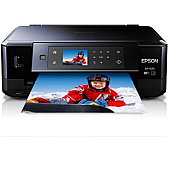
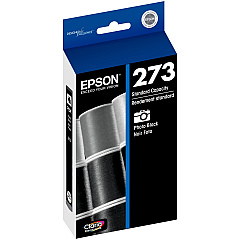
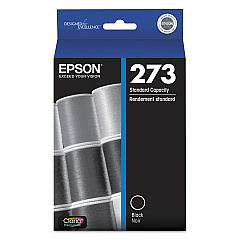
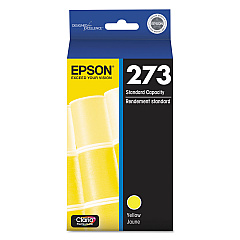
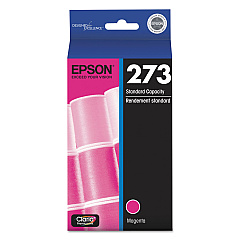
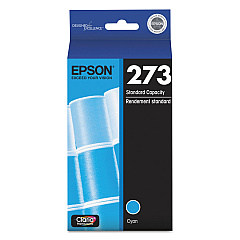
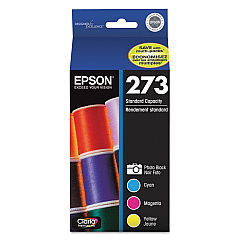
Ensure optimal print quality with genuine Epson XP-620 Ink Cartridges. These high-performance cartridges are designed specifically for the Epson XP-620 printer, delivering crisp text and vibrant images. The range includes individual black, photo black, cyan, magenta, and yellow cartridges, as well as a convenient multi-pack option. Each cartridge is engineered to work seamlessly with your printer, providing consistent results and maximum page yield. Whether you're printing important documents or cherished photographs, these ink cartridges guarantee professional-grade output. The Epson T273 series cartridges are easy to install and offer excellent value for money. Choose Epson XP-620 Ink Cartridges for reliable, high-quality printing that meets all your home or small office needs.

Epson XP-620 Ink Cartridges FAQs

  • How long do Epson XP-620 Ink Cartridges typically last?

    The lifespan of ink cartridges varies depending on usage, but on average, they can last for 200-300 pages for standard cartridges and up to 500 pages for high-capacity cartridges.

  • Can I use third-party ink cartridges in my Epson XP-620 printer?

    While third-party cartridges may work, Epson recommends using genuine Epson cartridges for optimal print quality and to avoid potential damage to your printer.

  • How do I know when it's time to replace my ink cartridges?

    Your Epson XP-620 printer will display a low ink warning on its LCD screen when a cartridge is running low and needs replacement.

  • Are Epson XP-620 Ink Cartridges compatible with other Epson printer models?

    These cartridges are specifically designed for the XP-620 model. Always check your printer's manual or Epson's website for compatibility information.

  • How should I store unused ink cartridges?

    Store unused cartridges in a cool, dry place at room temperature. Keep them in their original packaging until you're ready to use them.

  • Can I recycle empty Epson XP-620 Ink Cartridges?

    Yes, Epson offers a cartridge recycling program. You can find details on their website or check with local office supply stores for recycling options.

  • What's the difference between black and photo black ink cartridges?

    Black ink is used for text and general printing, while photo black ink enhances the depth and contrast in photo prints.

  • How do I install new ink cartridges in my Epson XP-620 printer?

    Turn on the printer, open the cartridge cover, squeeze the tab on the cartridge you want to replace, lift it out, then insert the new cartridge until it clicks into place.

  • What should I do if my printer doesn't recognize a new ink cartridge?

    Ensure the cartridge is properly installed and compatible with your printer. Clean the cartridge contacts and try reinserting it. If issues persist, contact Epson support.

  • Is it necessary to replace all ink cartridges at the same time?

    No, you only need to replace the specific color that has run out. However, replacing all cartridges at once can ensure consistent print quality across all colors.

Warehouse Locations

Policy & Agreement | Copyright © 1995-2026 BlueDogInk.com
