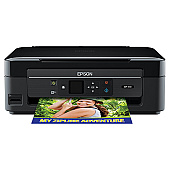
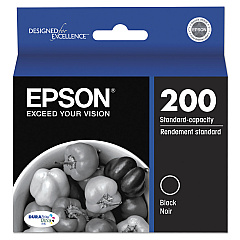
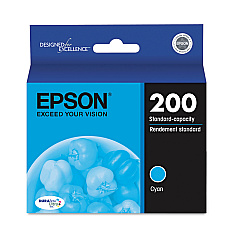
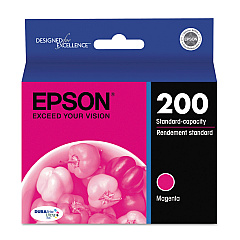














Color, Black, XL & Combo Ink Cartridges for Epson XP 310 Printers

Ads

Epson XP-310 Black Ink Cartridges

Epson XP-310 Color Ink Cartridges

Epson XP-310 Ink Set

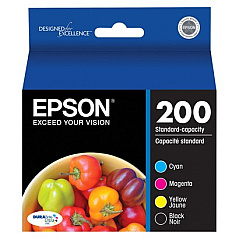
  • Epson T200120-BCS Combo Pack

    Item T200120-BCS

    Epson T200120-BCS Combo Pack

    Combo Pack DURABrite Ultra Ink Cartridges; Includes T200120, T200220, T200320, T..

    Status

    In Stock

    $64.06

Epson XP-310 Photo Paper

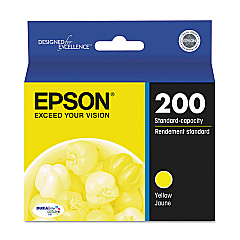
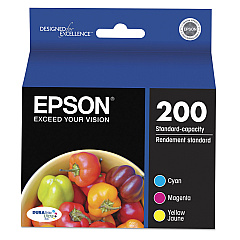
Ensure optimal print quality with genuine Epson XP-310 Ink Cartridges. These high-performance cartridges are designed specifically for the Epson XP-310 printer, delivering crisp text and vibrant colors for all your printing needs. Choose from individual cartridges including Epson T200120 Black, T200220 Cyan, T200320 Magenta, and T200420 Yellow, or opt for cost-effective combo packs like the T200120-BCS and T200520 Multi-Pack. These cartridges offer excellent page yields and resist fading, ensuring your documents and photos look great for years to come. Whether you're printing for business, education, or personal use, Epson XP-310 Ink Cartridges provide reliable, high-quality results every time. Don't compromise on quality – choose genuine Epson ink cartridges for your XP-310 printer and experience the difference in your prints.

Color, Black, XL & Combo Ink Cartridges for Epson XP 310 Printers FAQs

  • What kind of Epson ink cartridges does an Epson XP 310 take?

    Epson 200 and 200XL - The Epson Expression XP-310 uses Epson 202XL ink cartridges.

  • How long do Epson XP-310 Ink Cartridges typically last?

    The lifespan of ink cartridges varies depending on usage, but on average, they can last 2-3 months for regular home use.

  • Can Epson XP 310 be used for sublimation?

    It is possible to convert your Epson printer to print sublimation using conversion kits, but there are no genuine Epson products for printing sublimation on your Epson XP 5100. Please choose this option at your own risk (we don't recommend it).

  • Are these ink cartridges compatible with other Epson printer models?

    These cartridges are specifically designed for the Epson XP-310 printer. Always check your printer's compatibility before purchasing ink cartridges.

  • Why is my Epson XP 310 printing blanks?

    Print a nozzle inspection pattern to determine if any nozzles are clogged and clean the print head if necessary. Several factors can cause the printer to print blank pages, including print settings, low ink, or the product itself. Make sure your printer software is set to the right paper size, orientation, and layout.

  • Can I use third-party ink cartridges in my Epson XP-310 printer?

    While third-party cartridges may work, using genuine Epson cartridges ensures the best print quality and prevents potential damage to your printer.

  • Can I use Epson 220 ink instead of 288?

    No, although they are 100% identical cartridges, the chip inside them that tells the printer whether it is the right ink is marked differently.

  • How do I install new ink cartridges in my Epson XP-310 printer?

    Turn on the printer, open the cartridge cover, remove the old cartridge, insert the new one until it clicks, and close the cover. The printer will automatically recognize the new cartridge.

  • How do you unclog an Epson printhead nozzle?

    Remove the cartridges and spray a small amount of Windex into the clogged holes where ink flows onto the printhead itself. Leave it on for several hours or even overnight until all dried ink inside the printhead is dissolved.

  • What's the difference between the individual cartridges and the combo pack?

    Individual cartridges allow you to replace only the color you need, while combo packs offer a cost-effective solution for replacing multiple colors at once.

  • How can I tell when my ink cartridges need to be replaced?

    Your printer will display a low ink warning. You can also check ink levels through the printer software on your computer.

  • Are these ink cartridges recyclable?

    Yes, Epson offers a cartridge recycling program. Check their website for details on how to recycle your used cartridges.

  • What's the shelf life of unopened ink cartridges?

    Unopened ink cartridges typically have a shelf life of 2 years from the production date when stored properly.

  • Can I use these cartridges for photo printing?

    Yes, these cartridges are suitable for both document and photo printing, delivering high-quality results for both.

  • What should I do if my printer doesn't recognize the new cartridge?

    Ensure the cartridge is properly installed and compatible with your printer model. If issues persist, clean the cartridge contacts and try again, or contact Epson support.

Warehouse Locations

Policy & Agreement | Copyright © 1995-2026 BlueDogInk.com
