
















Ads

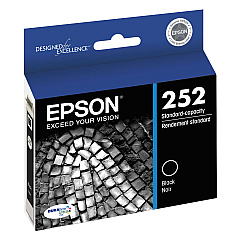
Epson WorkForce WF-7110 Black Ink Cartridges

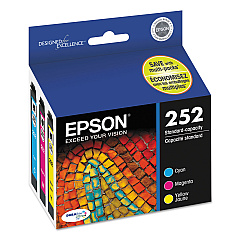
Epson WorkForce WF-7110 Color Ink Cartridges

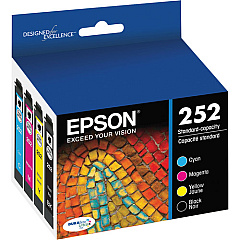
Epson WorkForce WF-7110 Ink Set

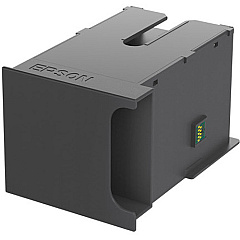
Epson WorkForce WF-7110 Maintenance Kits

Epson WorkForce WF-7110 Copy Paper

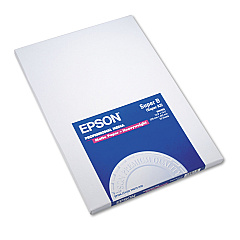
Epson WorkForce WF-7110 Photo Paper

Enhance your printing experience with genuine Epson WorkForce WF-7110 Ink Cartridges. This versatile printer supports a wide range of cartridges, including black, cyan, magenta, and yellow in both standard and high-capacity options. The T252 series offers reliable performance for everyday printing, while the T252XL series provides extended yield for high-volume users. Choose from individual colors or convenient combo packs to suit your specific needs. The Epson T671100 Maintenance Box ensures optimal printer performance by collecting waste ink. Whether you're a business professional, educator, or healthcare provider, these high-quality ink cartridges deliver crisp text and vibrant colors for all your wide-format printing needs. Trust in Epson's superior ink technology to produce professional-grade documents and images with the WorkForce WF-7110 printer.

Epson WorkForce WF-7110 Ink Cartridges FAQs

  • What is the difference between standard and XL ink cartridges?

    XL cartridges have a higher ink capacity and typically last longer than standard cartridges, making them more cost-effective for high-volume printing.

  • Are these ink cartridges compatible with other Epson printers?

    These cartridges are specifically designed for the Epson WorkForce WF-7110 printer. Always check your printer's compatibility before purchasing ink cartridges.

  • How often should I replace the Maintenance Box?

    The frequency of Maintenance Box replacement depends on usage. Your printer will alert you when it's time to replace it.

  • Can I use third-party ink cartridges in my Epson WorkForce WF-7110?

    While third-party cartridges may work, using genuine Epson cartridges ensures optimal print quality and helps maintain your printer's warranty.

  • What's the shelf life of unopened ink cartridges?

    Unopened Epson ink cartridges typically have a shelf life of two years from the date of production when stored properly.

  • How do I install new ink cartridges in my Epson WorkForce WF-7110?

    Turn on the printer, open the cartridge cover, remove the old cartridge, insert the new one until it clicks, and close the cover. The printer will then recognize the new cartridge.

  • What should I do if my printer doesn't recognize a new cartridge?

    Ensure the cartridge is properly seated and the gold contacts are clean. If issues persist, try removing and reinserting the cartridge or cleaning the printer's contacts.

  • Can I buy individual color cartridges or do I have to replace all colors at once?

    You can purchase individual color cartridges for the Epson WorkForce WF-7110, allowing you to replace only the colors that are low or empty.

  • How many pages can I print with a standard T252 series cartridge?

    Page yield varies depending on the specific cartridge and print content. On average, a standard T252 black cartridge yields about 300 pages, while color cartridges yield about 300 pages each.

  • Is it necessary to shake the ink cartridges before installation?

    Yes, gently shaking new ink cartridges before installation helps ensure optimal print quality by mixing the ink properly.

Warehouse Locations

Policy & Agreement | Copyright © 1995-2026 BlueDogInk.com
