





Ads

Epson WorkForce WF-5190 Black Ink Cartridges

Epson WorkForce WF-5190 Color Ink Cartridges

Epson WorkForce WF-5190 Maintenance Kits

Epson WorkForce WF-5190 Warranty and Services

  • Epson EPPBIJWP3 Warranty

    Item EPPBIJWP3

    Epson EPPBIJWP3 Warranty

    EPSON Extended Service Plan (Next Business Day Upgrade) (3 Year)..

    Status

    In Stock

    $31.99

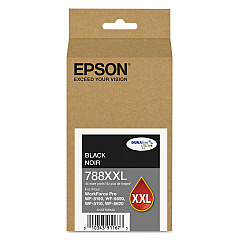
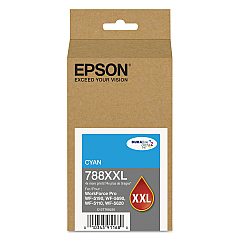
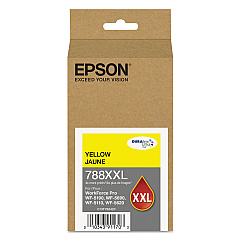
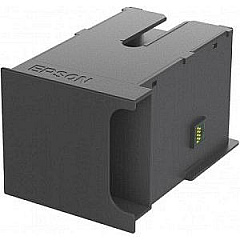
Enhance your printing experience with genuine Epson WorkForce WF-5190 Ink Cartridges. These high-capacity cartridges are designed to deliver exceptional print quality and reliability for your business needs. The Epson T671000 Maintenance Box ensures your printer stays in top condition, while the T788XXL120 Black, T788XXL220 Cyan, and T788XXL420 Yellow ink cartridges provide vibrant, long-lasting colors. These cartridges are optimized for the WF-5190 printer, offering superior page yields and cost-effective printing solutions. Whether you're printing important documents, presentations, or marketing materials, these genuine Epson cartridges guarantee professional results every time. Invest in the best supplies for your Epson WorkForce WF-5190 and experience unparalleled print quality, efficiency, and value for your business.

Epson WorkForce WF-5190 Printers Supplies FAQs

  • How long do Epson WorkForce WF-5190 Ink Cartridges typically last?

    The lifespan of these cartridges varies depending on usage, but high-capacity XXL cartridges can last for several thousand pages.

  • Are these ink cartridges compatible with other Epson printers?

    These specific cartridges are designed for the Epson WorkForce WF-5190 and may not be compatible with other models. Always check your printer's compatibility before purchasing.

  • What is the purpose of the Epson T671000 Maintenance Box?

    The maintenance box collects waste ink during printing and cleaning cycles, helping to maintain the printer's performance and prevent ink leaks.

  • Can I use third-party ink cartridges in my Epson WorkForce WF-5190?

    While third-party cartridges may work, using genuine Epson cartridges ensures the best print quality and helps maintain your printer's warranty.

  • How do I know when it's time to replace my ink cartridges?

    Your printer will display a low ink warning when cartridges need replacement. You can also check ink levels through the printer's control panel or software.

  • Are these ink cartridges environmentally friendly?

    Epson designs its cartridges with recyclable materials and offers a cartridge recycling program to minimize environmental impact.

  • What's the difference between standard and XXL ink cartridges?

    XXL cartridges have a higher ink capacity, allowing for more prints before replacement, which can be more cost-effective for high-volume printing.

  • How should I store unused ink cartridges?

    Store cartridges in a cool, dry place away from direct sunlight. Keep them in their original packaging until ready for use to prevent drying out.

  • Can I buy these ink cartridges in bulk for my business?

    Yes, many suppliers offer bulk purchasing options for businesses to save money on large orders of ink cartridges.

  • What should I do if my printer doesn't recognize a new ink cartridge?

    Try removing and reinserting the cartridge, cleaning the cartridge contacts, or running a printer head cleaning cycle. If issues persist, contact Epson support.

Warehouse Locations

Policy & Agreement | Copyright © 1995-2026 BlueDogInk.com
