














Ads

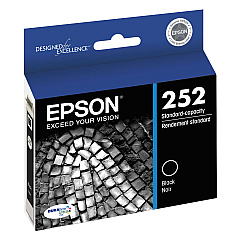
Epson WorkForce WF-3620 Black Ink Cartridges

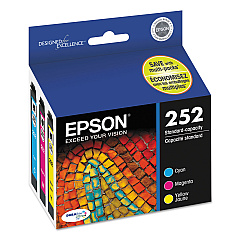
Epson WorkForce WF-3620 Color Ink Cartridges

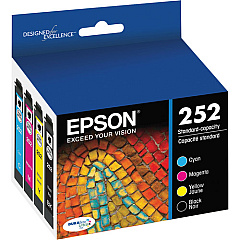
Epson WorkForce WF-3620 Ink Set

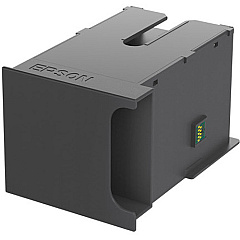
Epson WorkForce WF-3620 Maintenance Kits

Epson WorkForce WF-3620 Photo Paper

Enhance your printing experience with genuine Epson WorkForce WF-3620 Ink Cartridges. These high-quality cartridges ensure optimal performance and vibrant output for your all-in-one printer. Choose from a range of options including individual color cartridges (black, cyan, magenta, yellow), convenient combo packs, and high-yield XL variants for increased efficiency. The T252 and T252XL series offer exceptional print quality and longevity, perfect for businesses, schools, and healthcare facilities requiring reliable, professional-grade prints. Don't forget the T671100 Maintenance Box to keep your printer in top condition. With Epson's advanced DURABrite Ultra ink technology, your documents and images will resist fading, water damage, and smudging. Maximize your WF-3620's potential with these authentic Epson supplies, designed to deliver consistent, superior results for all your printing needs.

Epson WorkForce WF-3620 Ink Cartridges FAQs

  • What is the difference between standard and XL ink cartridges?

    XL cartridges contain more ink and last longer, making them more cost-effective for high-volume printing.

  • Are these cartridges compatible with other Epson printers?

    These cartridges are specifically designed for the Epson WorkForce WF-3620 and may not be compatible with other models.

  • How long do these ink cartridges typically last?

    The lifespan of cartridges varies depending on usage, but standard cartridges typically print 300-400 pages, while XL cartridges can print 500-1,100 pages.

  • Can I use third-party ink cartridges in my Epson WF-3620?

    While third-party cartridges may work, using genuine Epson cartridges ensures optimal print quality and prevents potential damage to your printer.

  • What is the purpose of the Maintenance Box?

    The Maintenance Box collects waste ink during printing and cleaning cycles, helping to maintain your printer's performance.

  • How often should I replace the Maintenance Box?

    Replace the Maintenance Box when prompted by your printer, typically after several thousand pages or 1-2 years of regular use.

  • Can I recycle empty ink cartridges?

    Yes, Epson offers a cartridge recycling program. Check their website for details on how to participate.

  • What should I do if my printer doesn't recognize a new cartridge?

    Ensure the cartridge is properly installed, clean the contacts, and restart your printer. If issues persist, contact Epson support.

  • Are these ink cartridges pigment-based or dye-based?

    Epson WorkForce WF-3620 ink cartridges use pigment-based DURABrite Ultra ink for improved durability and water resistance.

  • How long can I store unopened ink cartridges?

    Unopened cartridges can typically be stored for up to two years from the production date, as long as they're kept in a cool, dry place.

Warehouse Locations

Policy & Agreement | Copyright © 1995-2026 BlueDogInk.com
