













Ads

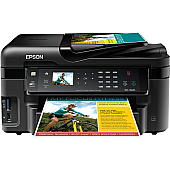
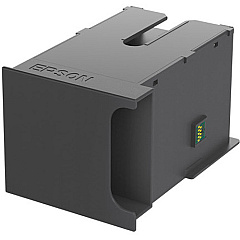
Epson Workforce WF-3520 Maintenance Kits

Epson Workforce WF-3520 Photo Paper

Ensure optimal performance for your Epson Workforce WF-3520 with genuine Epson Workforce WF-3520 Ink Cartridges. These high-quality cartridges are designed to deliver crisp text and vibrant colors for all your printing needs. Choose from a range of options including individual black, cyan, magenta, and yellow cartridges, as well as convenient dual packs and multi-packs. The T126 and T127 series offer standard and high-capacity options to suit your printing volume. For maintenance, the T671000 and T671100 Maintenance Boxes keep your printer running smoothly. Whether you're printing important business documents or colorful presentations, these authentic Epson cartridges ensure consistent, professional results. Trust in the reliability and superior print quality of genuine Epson supplies to maximize your Workforce WF-3520's potential.

Epson Workforce WF-3520 Ink Cartridges FAQs

  • What's the difference between T126 and T127 series cartridges?

    T127 series are high-capacity cartridges that yield more pages than the standard T126 series.

  • Can I use third-party ink cartridges in my Epson Workforce WF-3520?

    While third-party cartridges may work, Epson recommends using genuine Epson cartridges for optimal performance and print quality.

  • How often should I replace the Maintenance Box?

    Replace the Maintenance Box when prompted by your printer or when it's full, which varies based on usage.

  • What's the shelf life of unopened ink cartridges?

    Unopened Epson ink cartridges typically have a shelf life of two years from the date of production.

  • Can I use T126 and T127 cartridges interchangeably?

    Yes, both T126 and T127 series are compatible with the Epson Workforce WF-3520.

  • How do I know which cartridges need replacing?

    Your printer will display a message indicating which specific cartridge needs replacement.

  • What's the purpose of the Color Ink Cartridge Multi-Pack?

    The Multi-Pack provides a convenient way to replace all color cartridges at once, often at a better value.

  • Are these cartridges compatible with other Epson printers?

    These cartridges are designed for specific Epson models. Check your printer's manual for compatibility.

  • How many pages can I print with a single cartridge?

    Page yield varies depending on the specific cartridge and print settings. Check the product specifications for estimated yields.

  • What should I do if my printer doesn't recognize a new cartridge?

    Ensure the cartridge is properly installed and clean the gold contacts. If issues persist, contact Epson support.

Warehouse Locations

Policy & Agreement | Copyright © 1995-2026 BlueDogInk.com
