













Ads

Epson WorkForce WF-2660 Photo Paper

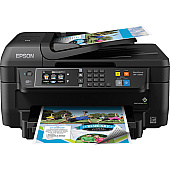
Enhance your printing experience with genuine Epson WorkForce WF-2660 Ink Cartridges. These high-quality cartridges are designed to deliver exceptional results for your business, educational, healthcare, or wholesale needs. Choose from a range of options including individual colors (black, cyan, magenta, yellow), combo packs, and high-yield XL cartridges to suit your specific requirements. The T220 and T220XL series offer superior print quality, vibrant colors, and long-lasting performance. Whether you're printing important documents, presentations, or marketing materials, these cartridges ensure crisp text and vivid images. With options for both standard and high-capacity cartridges, you can optimize your printing costs while maintaining professional-grade output. Trust in Epson's reliability and innovation to keep your WorkForce WF-2660 running smoothly and efficiently.

Epson WorkForce WF-2660 Ink Cartridges FAQs

  • What is the difference between standard and XL cartridges?

    XL cartridges have a higher ink capacity and typically yield more pages than standard cartridges, making them more cost-effective for high-volume printing.

  • Are these cartridges compatible with other Epson printers?

    These cartridges are specifically designed for the Epson WorkForce WF-2660. Always check your printer's compatibility before purchasing ink cartridges.

  • How long do these ink cartridges last?

    The lifespan of ink cartridges depends on usage and print settings. XL cartridges generally last longer than standard ones.

  • Can I use third-party ink cartridges in my Epson WorkForce WF-2660?

    While third-party cartridges may work, using genuine Epson cartridges ensures optimal print quality and prevents potential damage to your printer.

  • What's included in the T220120-BCS Ink Cartridge Combo Pack?

    The T220120-BCS Combo Pack typically includes one each of black, cyan, magenta, and yellow standard capacity cartridges.

  • How do I install these ink cartridges?

    Open the printer's ink cartridge cover, remove the old cartridge, insert the new one until it clicks into place, and close the cover. Follow your printer's on-screen instructions for any additional steps.

  • Are these cartridges recyclable?

    Yes, Epson offers a cartridge recycling program. Check their website for details on how to recycle your used cartridges.

  • What's the shelf life of unopened ink cartridges?

    Unopened Epson ink cartridges typically have a shelf life of two years from the date of production when stored properly.

  • Can I mix XL and standard cartridges in my printer?

    Yes, you can use a combination of XL and standard cartridges in your Epson WorkForce WF-2660 printer.

  • How can I check the ink levels in my printer?

    You can check ink levels through your printer's control panel or by using the Epson printer software on your computer.

Warehouse Locations

Policy & Agreement | Copyright © 1995-2026 BlueDogInk.com
