













Ads

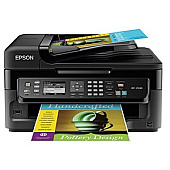
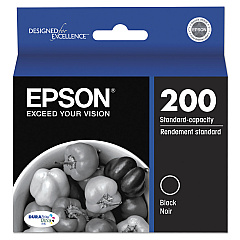
Epson WorkForce WF-2540 Black Ink Cartridges

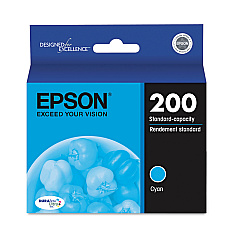
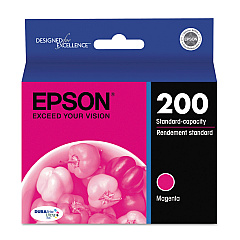
Epson WorkForce WF-2540 Color Ink Cartridges

Epson WorkForce WF-2540 Ink Set

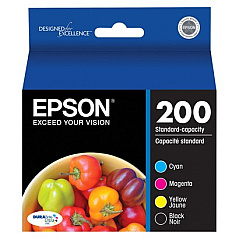
  • Epson T200120-BCS Combo Pack

    Item T200120-BCS

    Epson T200120-BCS Combo Pack

    Combo Pack DURABrite Ultra Ink Cartridges; Includes T200120, T200220, T200320, T..

    Status

    In Stock

    $64.06

Epson WorkForce WF-2540 Photo Paper

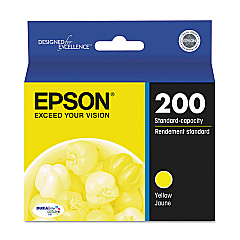
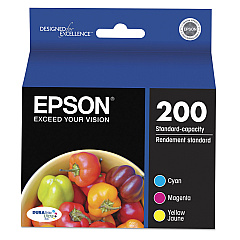
Ensure uninterrupted productivity with genuine Epson WorkForce WF-2540 Ink Cartridges. This versatile all-in-one printer demands high-quality ink for optimal performance. Choose from a range of cartridge options, including the Epson T200120 Black Ink Cartridge for crisp text, or the T200120-BCS Combo Pack for added value. For vibrant color prints, rely on the T200220 Cyan, T200320 Magenta, and T200420 Yellow cartridges. The T200520 Multi-Pack offers a convenient solution for all your color printing needs. These cartridges are specifically designed for the WF-2540, guaranteeing compatibility and superior print quality. Whether you're printing business documents, photos, or creative projects, these genuine Epson inks deliver consistent, professional results. Don't compromise on quality – choose authentic Epson WorkForce WF-2540 Ink Cartridges for reliable, long-lasting prints that make a lasting impression.

Epson WorkForce WF-2540 Ink Cartridges FAQs

  • How long do Epson WorkForce WF-2540 Ink Cartridges typically last?

    The lifespan of ink cartridges varies depending on usage, but on average, they can last for about 175-300 pages for black ink and 165-300 pages for color cartridges.

  • Are these ink cartridges compatible with other Epson printers?

    These cartridges are specifically designed for the Epson WorkForce WF-2540 printer. They may be compatible with some other Epson models, but it's best to check your printer's manual for compatibility.

  • Can I use third-party ink cartridges in my Epson WorkForce WF-2540?

    While third-party cartridges may work, using genuine Epson cartridges ensures the best print quality and helps maintain your printer's warranty.

  • What's the difference between the individual cartridges and the multi-pack?

    Individual cartridges allow you to replace only the color you need, while the multi-pack provides all colors in one package, which can be more cost-effective if you use all colors equally.

  • How do I know when it's time to replace my ink cartridges?

    Your printer will display a low ink warning when cartridges are running low. You can also check ink levels through your printer's software or control panel.

  • Are these ink cartridges recyclable?

    Yes, Epson offers a cartridge recycling program. You can return your used cartridges to Epson for free recycling.

  • What should I do if my printer doesn't recognize the new cartridge?

    First, ensure the cartridge is properly installed. If the issue persists, try cleaning the cartridge contacts and resetting your printer. If problems continue, contact Epson support.

  • How should I store unused ink cartridges?

    Store cartridges in a cool, dry place at room temperature. Keep them in their original packaging until you're ready to use them to prevent the ink from drying out.

  • Can I refill these ink cartridges myself?

    Epson does not recommend refilling cartridges as it can lead to print quality issues and potential printer damage. It's best to use new, genuine Epson cartridges.

  • What's the shelf life of unopened ink cartridges?

    Unopened Epson ink cartridges typically have a shelf life of two years from the date of production, as long as they are stored properly.

Warehouse Locations

Policy & Agreement | Copyright © 1995-2026 BlueDogInk.com
