














Ads

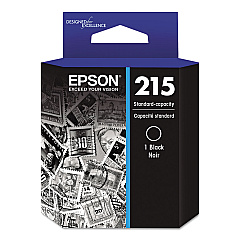
Epson WorkForce WF-110 Black Ink Cartridges

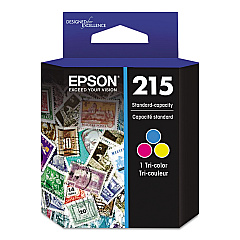
Epson WorkForce WF-110 Color Ink Cartridges

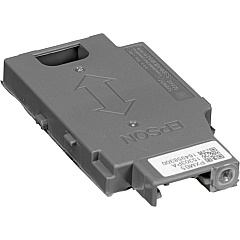
Epson WorkForce WF-110 Maintenance Kits

Epson WorkForce WF-110 Photo Paper

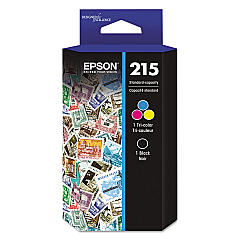
Ensure uninterrupted printing with genuine Epson WorkForce WF-110 Ink Cartridges. These high-quality cartridges are designed specifically for the compact and portable Epson WorkForce WF-110 printer, delivering crisp text and vibrant colors for all your on-the-go printing needs. The range includes the Epson T215120 Black Ink Cartridge for sharp monochrome prints, the Epson T215530 Color Ink Cartridge for vivid color documents and photos, and the cost-effective Epson T215120-BCS Combo-Pack. For optimal printer maintenance, the Epson T295000 Maintenance Box efficiently collects waste ink. Whether you're a mobile professional, student, or frequent traveler, these reliable ink cartridges ensure consistent, professional-quality output. Trust in Epson's advanced ink technology to produce long-lasting prints that resist fading and smudging, making your documents and images stand out.

Epson WorkForce WF-110 Ink Cartridges FAQs

  • How long do Epson WorkForce WF-110 ink cartridges typically last?

    The lifespan of ink cartridges varies depending on usage, but on average, they can last for about 250-300 pages for black ink and 200-250 pages for color ink.

  • Are there compatible or remanufactured ink cartridges available for the Epson WorkForce WF-110?

    While third-party options may exist, Epson recommends using genuine Epson ink cartridges for optimal print quality and to maintain printer warranty.

  • Can I use Epson WorkForce WF-110 ink cartridges in other Epson printer models?

    No, these ink cartridges are specifically designed for the Epson WorkForce WF-110 and are not compatible with other printer models.

  • How often should I replace the Epson T295000 Maintenance Box?

    The maintenance box should be replaced when prompted by the printer, which is typically after processing a large number of print jobs or cleaning cycles.

  • What's the difference between the individual ink cartridges and the combo pack?

    The individual cartridges contain either black or color ink separately, while the combo pack includes both black and color cartridges, often at a slightly discounted price.

  • How can I check the ink levels in my Epson WorkForce WF-110 printer?

    You can check ink levels through the printer's control panel or by using the Epson Status Monitor software on your computer.

  • Are Epson WorkForce WF-110 ink cartridges recyclable?

    Yes, Epson offers a cartridge recycling program. You can return your used cartridges to Epson or participating retailers for proper recycling.

  • Can I refill Epson WorkForce WF-110 ink cartridges myself?

    Epson does not recommend refilling cartridges as it may affect print quality and potentially damage the printer. It's best to use new, genuine Epson cartridges.

  • How should I store unused ink cartridges?

    Store unused cartridges in a cool, dry place at room temperature. Keep them in their original packaging until you're ready to install them in the printer.

  • What should I do if my printer doesn't recognize a new ink cartridge?

    First, ensure the cartridge is properly installed. If the issue persists, clean the cartridge contacts and try reinserting it. If problems continue, contact Epson support for assistance.

Warehouse Locations

Policy & Agreement | Copyright © 1995-2026 BlueDogInk.com
