




Ads

Epson WorkForce ST-C8000 Black Ink Cartridges

Epson WorkForce ST-C8000 Color Ink Cartridges

Epson WorkForce ST-C8000 Ink Set

Epson WorkForce ST-C8000 Maintenance Kits

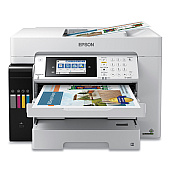
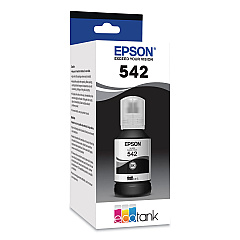
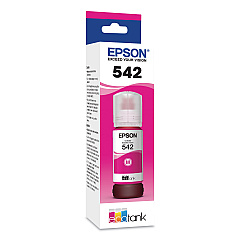
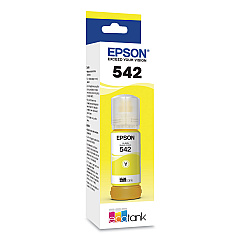
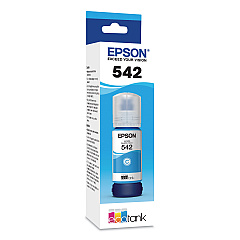
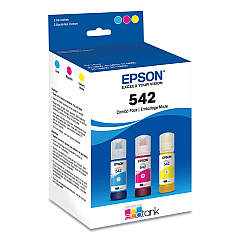
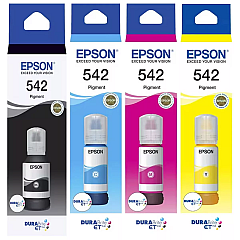
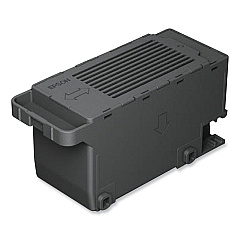
Enhance your printing experience with genuine Epson WorkForce ST-C8000 Ink Cartridges. This high-performance printer utilizes a range of Epson 542 ink bottles, including Black (T542120-S), Cyan (T542220-S), Magenta (T542320-S), and Yellow (T542420-S). For convenience, a Multi-Color pack (T542520-S) is also available. These ink bottles ensure vibrant, long-lasting prints for your business, educational, or healthcare needs. The Epson C9345 Maintenance Box (C12C934591) helps maintain optimal printer performance. With these high-capacity ink bottles, you'll enjoy cost-effective printing without compromising on quality. Whether you're producing marketing materials, reports, or presentations, the Epson WorkForce ST-C8000 Ink Cartridges deliver exceptional results every time. Experience the perfect blend of efficiency and quality with Epson's innovative ink system.

Epson WorkForce ST-C8000 Ink Cartridges FAQs

  • How long do Epson 542 ink bottles last?

    The lifespan of Epson 542 ink bottles varies depending on usage, but they typically last for thousands of pages, offering significant cost savings compared to traditional cartridges.

  • Are these ink bottles compatible with other Epson printers?

    Epson 542 ink bottles are specifically designed for the WorkForce ST-C8000 and may not be compatible with other Epson printer models. Always check your printer's specifications for the correct ink type.

  • How often should I replace the Epson C9345 Maintenance Box?

    The replacement frequency of the maintenance box depends on usage. Your printer will alert you when it's time to replace it, typically after several thousand pages.

  • Can I use third-party ink bottles in my Epson WorkForce ST-C8000?

    While third-party inks may work, using genuine Epson ink bottles is recommended to ensure optimal print quality and to maintain your printer's warranty.

  • How do I install the ink bottles in my Epson WorkForce ST-C8000?

    Installation is simple: remove the bottle cap, position the bottle over the correct color-coded tank, and let the ink flow into the tank. The bottle is designed to stop automatically when the tank is full.

  • What's the difference between the individual color bottles and the multi-color pack?

    The multi-color pack (T542520-S) includes cyan, magenta, and yellow ink bottles in one package, while individual bottles allow you to replace only the color you need.

  • Are these ink bottles environmentally friendly?

    Yes, Epson's high-capacity ink bottles reduce plastic waste compared to traditional cartridges, making them a more environmentally friendly option.

  • How do I know when it's time to refill the ink?

    The Epson WorkForce ST-C8000 has visible ink tanks, allowing you to easily monitor ink levels. The printer will also alert you when ink is running low.

  • Can I mix different brands of ink in my Epson WorkForce ST-C8000?

    It's not recommended to mix ink brands. Using only Epson inks ensures the best print quality and helps prevent potential damage to your printer.

  • What's the shelf life of unopened Epson 542 ink bottles?

    Unopened Epson ink bottles typically have a shelf life of about two years from the production date when stored properly at room temperature.

Warehouse Locations

Policy & Agreement | Copyright © 1995-2026 BlueDogInk.com
