





Ads

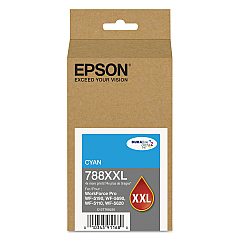
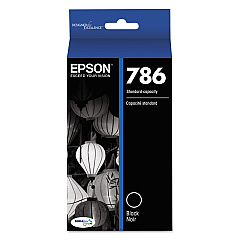
Epson WorkForce Pro WF-5620 Black Ink Cartridges

Epson WorkForce Pro WF-5620 Color Ink Cartridges

Epson WorkForce Pro WF-5620 Ink Set

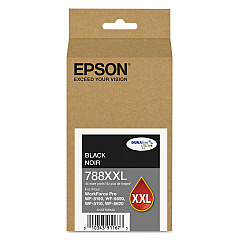
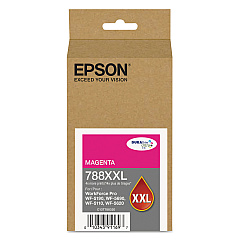
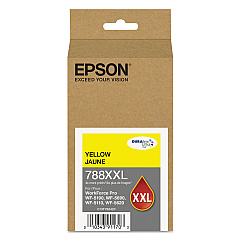
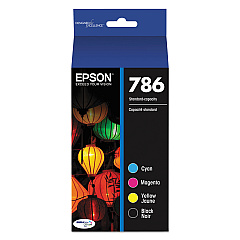
Enhance your printing experience with genuine Epson WorkForce Pro WF-5620 Ink Cartridges. These high-quality cartridges are designed to deliver exceptional results for your business, educational, healthcare, or wholesale needs. Choose from a variety of options, including the convenient Epson T786120-BCS Combo Pack, the cost-effective Epson T786120-D2 Black Ink Cartridge Dual Pack, or individual high-capacity cartridges like the T788XXL series in black, cyan, magenta, and yellow. These cartridges ensure crisp text, vibrant colors, and long-lasting prints that resist fading and smudging. Compatible with the Epson WorkForce Pro WF-5620 printer, these cartridges are easy to install and provide reliable performance for all your printing tasks. Whether you're producing important documents, marketing materials, or high-quality images, these Epson ink cartridges will help you achieve professional results every time.

Epson WorkForce Pro WF-5620 Ink Cartridges FAQs

  • Are these ink cartridges compatible with other Epson printers?

    These cartridges are specifically designed for the Epson WorkForce Pro WF-5620 printer. Always check your printer's compatibility before purchasing.

  • How long do these ink cartridges typically last?

    The lifespan of ink cartridges varies depending on usage, but high-capacity XXL cartridges generally last longer than standard cartridges.

  • Can I use third-party ink cartridges in my Epson WorkForce Pro WF-5620?

    While third-party cartridges may work, using genuine Epson cartridges ensures the best print quality and prevents potential damage to your printer.

  • What's the difference between the T786 and T788XXL series cartridges?

    The T788XXL series are high-capacity cartridges that contain more ink and typically last longer than the standard T786 series.

  • How do I install these ink cartridges?

    Installation is simple. Open the printer's ink cartridge cover, remove the old cartridge, and insert the new one until it clicks into place.

  • Are these cartridges environmentally friendly?

    Epson offers a cartridge recycling program to help reduce environmental impact. Check Epson's website for details on how to participate.

  • What should I do if my printer doesn't recognize the new cartridge?

    Try removing and reinserting the cartridge. If the issue persists, clean the cartridge contacts and try again. If problems continue, contact Epson support.

  • Can I buy these cartridges in bulk for my business?

    Yes, bulk purchasing options are available for businesses. Contact the seller or Epson directly for more information on bulk orders.

  • How long can I store unused ink cartridges?

    Unopened ink cartridges can typically be stored for up to two years. Store them in a cool, dry place away from direct sunlight.

  • Do these cartridges come with a warranty?

    Yes, genuine Epson ink cartridges come with a limited warranty. Check the packaging or Epson's website for specific warranty details.

Warehouse Locations

Policy & Agreement | Copyright © 1995-2026 BlueDogInk.com
