












Ads

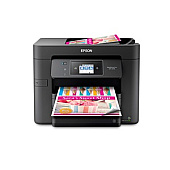
Epson WorkForce Pro WF-3730 Photo Paper

Enhance your printing experience with genuine Epson WorkForce Pro WF-3730 Ink Cartridges. These high-quality cartridges are designed to deliver exceptional results for businesses, schools, government offices, and healthcare facilities. Choose from a range of options including individual color cartridges (T702120 Black, T702220 Cyan, T702320 Magenta, T702420 Yellow) or convenient multi-packs like the T702520 Color Ink Cartridge Multi-Pack. For those requiring higher yield, the T702XL series offers extended capacity in black, cyan, magenta, and yellow. The T702XL-BCS Combo Pack provides a cost-effective solution for high-volume printing needs. With Epson's advanced DURABrite Ultra ink technology, these cartridges produce crisp text and vibrant colors that resist fading, smudging, and water damage. Maximize your printer's performance and productivity with these reliable, long-lasting Epson WorkForce Pro WF-3730 Ink Cartridges.

Epson WorkForce Pro WF-3730 Ink Cartridges FAQs

  • How long do Epson WorkForce Pro WF-3730 Ink Cartridges typically last?

    The lifespan of ink cartridges varies depending on usage, but standard cartridges typically yield about 350 pages for color and 300 for black, while XL cartridges can yield up to 1,100 pages for color and 2,200 for black.

  • Are these ink cartridges compatible with other Epson printers?

    These cartridges are specifically designed for the Epson WorkForce Pro WF-3730 and may not be compatible with other models. Always check your printer's compatibility before purchasing.

  • Can I use third-party ink cartridges in my Epson WorkForce Pro WF-3730?

    While third-party cartridges may work, Epson recommends using genuine Epson cartridges to ensure optimal print quality and to maintain your printer's warranty.

  • What's the difference between standard and XL cartridges?

    XL cartridges contain more ink and offer a higher page yield, making them more cost-effective for high-volume printing needs.

  • How do I install new ink cartridges in my Epson WorkForce Pro WF-3730?

    Open the printer's front cover, wait for the print head to move to the replacement position, then gently squeeze the tab on the cartridge and lift it out. Insert the new cartridge and press down until it clicks into place.

  • Can I recycle used Epson ink cartridges?

    Yes, Epson offers a cartridge recycling program. You can return your used cartridges to Epson or drop them off at participating retail locations.

  • How should I store unused ink cartridges?

    Store unused cartridges in a cool, dry place in their original packaging. Avoid extreme temperatures and direct sunlight to maintain ink quality.

  • What should I do if my printer doesn't recognize a new cartridge?

    First, ensure the cartridge is properly installed. If the issue persists, clean the cartridge contacts and try again. If problems continue, contact Epson support.

  • Are these ink cartridges pigment-based or dye-based?

    Epson WorkForce Pro WF-3730 Ink Cartridges use DURABrite Ultra pigment ink, which offers better water and fade resistance compared to dye-based inks.

  • How long is the shelf life of unopened ink cartridges?

    Unopened Epson ink cartridges typically have a shelf life of two years from the date of production, provided they are stored properly.

Warehouse Locations

Policy & Agreement | Copyright © 1995-2026 BlueDogInk.com
