












Ads

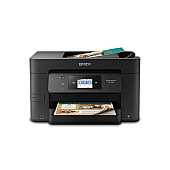
Epson WorkForce Pro WF-3720 Photo Paper

Enhance your printing experience with genuine Epson WorkForce Pro WF-3720 Ink Cartridges. These high-quality cartridges are designed to deliver exceptional results for businesses, schools, healthcare facilities, and government offices. Choose from a range of options including individual color cartridges (T702120 Black, T702220 Cyan, T702320 Magenta, T702420 Yellow) or convenient multi-packs like the T702520 Color Ink Cartridge Multi-Pack. For those requiring higher yield, the T702XL series offers extended capacity in black, cyan, magenta, and yellow. The T702XL-BCS Combo Pack provides a cost-effective solution for high-volume printing needs. These Epson WorkForce Pro WF-3720 Ink Cartridges ensure crisp text, vibrant colors, and professional-quality prints every time. Trust in Epson's innovative DURABrite Ultra ink technology for smudge, fade, and water-resistant documents that make a lasting impression.

Epson WorkForce Pro WF-3720 Ink Cartridges FAQs

  • Are these ink cartridges compatible with other Epson printers?

    These cartridges are specifically designed for the Epson WorkForce Pro WF-3720. Always check your printer's compatibility before purchasing.

  • What's the difference between standard and XL cartridges?

    XL cartridges have a higher ink capacity, allowing for more prints before replacement, making them more economical for high-volume printing.

  • How long do these ink cartridges last?

    The lifespan of cartridges varies depending on usage, but standard cartridges typically last for about 350 pages, while XL cartridges can print up to 1,100 pages.

  • Can I use third-party ink cartridges in my Epson WorkForce Pro WF-3720?

    While third-party cartridges may work, using genuine Epson cartridges ensures optimal print quality and prevents potential damage to your printer.

  • What is DURABrite Ultra ink technology?

    DURABrite Ultra is Epson's pigment-based ink technology that produces smudge, fade, and water-resistant prints suitable for double-sided printing.

  • How do I install these ink cartridges?

    Simply open the printer's ink cartridge cover, remove the old cartridge, and insert the new one until it clicks into place. Follow the on-screen instructions to complete the process.

  • Are these cartridges environmentally friendly?

    Epson designs its cartridges with recyclable materials. Many regions offer recycling programs for used ink cartridges.

  • What's included in the T702XL-BCS Combo Pack?

    The T702XL-BCS Combo Pack typically includes one high-capacity black cartridge and one each of cyan, magenta, and yellow cartridges.

  • How can I maximize the lifespan of my ink cartridges?

    Print regularly to prevent nozzles from clogging, use draft mode for non-critical documents, and store cartridges in a cool, dry place when not in use.

  • Do these cartridges come with a warranty?

    Yes, genuine Epson ink cartridges come with a limited warranty. Check the packaging or Epson's website for specific warranty details.

Warehouse Locations

Policy & Agreement | Copyright © 1995-2026 BlueDogInk.com
