





Ads

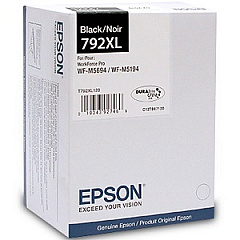
Epson WorkForce Pro M5194 Black Ink Cartridges

Ensure uninterrupted productivity with genuine Epson WorkForce Pro M5194 Ink Cartridges. These high-capacity cartridges are designed to deliver exceptional print quality and reliability for businesses, educational institutions, government offices, healthcare facilities, and wholesale operations. The Epson T792XL120 Black Ink Cartridge, compatible with the WorkForce Pro M5194, offers crisp, professional-grade text and graphics. With its advanced DURABrite Ultra ink technology, your documents will resist fading, smudging, and water damage. These cartridges are engineered to work seamlessly with your Epson printer, minimizing downtime and maximizing efficiency. Whether you're printing important reports, educational materials, or official documents, Epson WorkForce Pro M5194 Ink Cartridges provide the performance and reliability you need. Invest in genuine Epson supplies to maintain your printer's warranty and ensure consistent, high-quality results for all your printing needs.

Epson WorkForce Pro M5194 Printers Supplies FAQs

  • How long do Epson WorkForce Pro M5194 Ink Cartridges typically last?

    The lifespan of these cartridges depends on usage, but the high-capacity T792XL120 Black Ink Cartridge can yield up to 5,000 pages.

  • Are these ink cartridges compatible with other Epson printers?

    The T792XL120 cartridge is specifically designed for the WorkForce Pro M5194 and may not be compatible with other models. Always check your printer's compatibility before purchasing.

  • Can I use third-party ink cartridges in my Epson WorkForce Pro M5194?

    While third-party cartridges may work, using genuine Epson cartridges ensures optimal performance and maintains your printer's warranty.

  • How do I install the Epson T792XL120 Black Ink Cartridge?

    Open the printer's front cover, remove the old cartridge, and insert the new one until it clicks into place. Close the cover and follow on-screen instructions to complete the installation.

  • Are these ink cartridges environmentally friendly?

    Epson designs its cartridges with recyclable materials and offers a recycling program for used cartridges, promoting environmental sustainability.

  • How can I tell if my ink cartridge is genuine?

    Look for the Epson hologram on the packaging and check the cartridge's serial number on Epson's official website to verify authenticity.

  • What should I do if my printer doesn't recognize the new cartridge?

    Try removing and reinserting the cartridge, ensuring it's properly seated. If the issue persists, clean the cartridge contacts and try again or contact Epson support.

  • Can I buy these ink cartridges in bulk for my business?

    Yes, bulk purchasing options are available for businesses. Contact your Epson reseller or Epson directly for volume pricing and ordering information.

  • How should I store unused ink cartridges?

    Store cartridges in a cool, dry place away from direct sunlight. Keep them in their original packaging until ready for use to maintain quality and prevent drying.

  • What's the shelf life of unopened Epson WorkForce Pro M5194 Ink Cartridges?

    Unopened cartridges typically have a shelf life of up to two years from the production date when stored properly. Check the expiration date on the packaging for specific information.

Warehouse Locations

Policy & Agreement | Copyright © 1995-2026 BlueDogInk.com
