
















Ads

Epson WorkForce ET-16500 Black Ink Cartridges

Epson WorkForce ET-16500 Color Ink Cartridges

Epson WorkForce ET-16500 Maintenance Kits

Epson WorkForce ET-16500 Paper

Epson WorkForce ET-16500 Copy Paper

Epson WorkForce ET-16500 Photo Paper

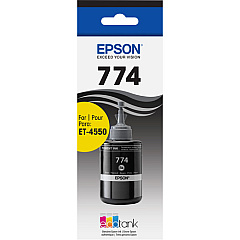
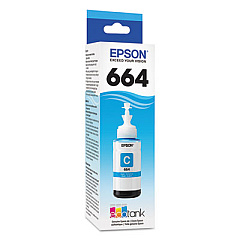
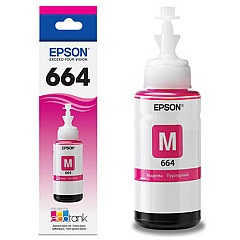
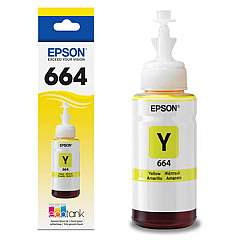
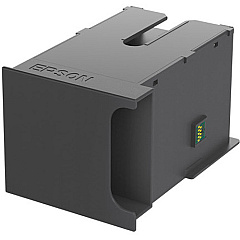
Maximize your printing efficiency with genuine Epson WorkForce ET-16500 Ink Cartridges. This high-capacity all-in-one printer utilizes Epson's innovative EcoTank system, featuring easily refillable ink bottles for hassle-free, cost-effective printing. The ET-16500 uses five key components: Epson T664220 Cyan Ink Bottle, Epson T664320 Magenta Ink Bottle, Epson T664420 Yellow Ink Bottle, Epson T774120 Black Ink Bottle, and Epson T671100 Maintenance Box. These high-yield ink bottles provide thousands of pages of crisp, vibrant prints, perfect for businesses, schools, healthcare facilities, and government offices requiring large-volume printing. With Epson's superior ink technology, you'll achieve professional-quality documents and stunning graphics every time. The included maintenance box ensures optimal performance by collecting waste ink, extending your printer's lifespan. Invest in genuine Epson supplies to guarantee unparalleled print quality and reliability for your WorkForce ET-16500.

Epson WorkForce ET-16500 Ink Cartridges FAQs

  • How long do Epson WorkForce ET-16500 ink bottles last?

    Epson WorkForce ET-16500 ink bottles can last for thousands of pages, with exact yield varying based on print content and settings.

  • Are these ink bottles compatible with other Epson printers?

    These specific ink bottles are designed for the Epson WorkForce ET-16500 and may not be compatible with other Epson printer models.

  • How often should I replace the maintenance box?

    The maintenance box should be replaced when prompted by your printer, typically after several thousand pages of printing.

  • Can I use third-party ink in my Epson WorkForce ET-16500?

    While third-party inks may work, using genuine Epson ink is recommended to ensure optimal print quality and to maintain your printer's warranty.

  • How do I refill the ink tanks on the ET-16500?

    Simply open the ink tank cover, remove the bottle cap, insert the bottle into the appropriate tank, and let it drain. The printer will automatically stop filling when full.

  • What's the shelf life of unopened Epson ink bottles?

    Unopened Epson ink bottles typically have a shelf life of two years from the date of production when stored properly.

  • Can I buy individual color ink bottles or do I need to purchase a set?

    You can purchase individual color ink bottles as needed, allowing you to replace only the colors that are running low.

  • How do I know when it's time to refill the ink?

    The Epson WorkForce ET-16500 has visible ink levels on the front of the printer and will also display low ink warnings on the control panel and your computer.

  • Is the Epson T671100 Maintenance Box reusable?

    No, the maintenance box is not reusable. Once it's full, it needs to be replaced with a new one.

  • What's the difference between the black ink bottle (T774120) and the color ink bottles?

    The T774120 black ink bottle has a larger capacity than the color ink bottles, as black ink is typically used more frequently in most printing tasks.

Warehouse Locations

Policy & Agreement | Copyright © 1995-2026 BlueDogInk.com
