





Ads

Epson WF-M5299 Black Ink Cartridges

Epson WF-M5299 Paper Trays

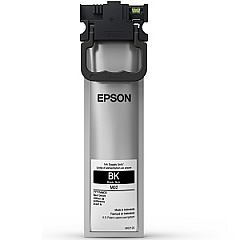
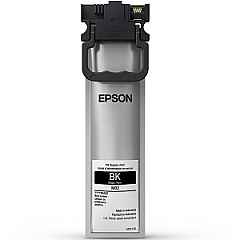
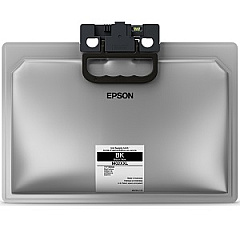
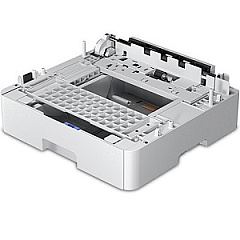
Enhance your printing experience with genuine Epson WF-M5299 Ink Cartridges, designed to deliver exceptional quality and reliability. These cartridges are specifically engineered for the Epson WorkForce Pro WF-M5299 printer, ensuring optimal performance and crisp, professional results. Choose from a range of options, including the standard M02120 Black Ink Cartridge, the high-capacity M02XL120 Black Ink Cartridge, and the extra high-capacity M02XXL120 Black Ink Cartridge to suit your printing needs. For increased paper handling capacity, consider adding the Epson C12C932871 Paper Tray. With these genuine Epson supplies, you'll experience consistent, high-quality output, reduced downtime, and improved productivity. Whether you're printing business documents, reports, or everyday correspondence, Epson WF-M5299 Ink Cartridges provide the perfect solution for your monochrome printing requirements.

Epson WF-M5299 Printers Supplies FAQs

  • What ink cartridges are compatible with the Epson WF-M5299 printer?

    The Epson WF-M5299 printer is compatible with the M02120 Black Ink Cartridge, M02XL120 Black Ink Cartridge, and M02XXL120 Black Ink Cartridge.

  • What is the difference between the M02120, M02XL120, and M02XXL120 cartridges?

    The main difference is the ink capacity. The M02120 is standard capacity, M02XL120 is high capacity, and M02XXL120 is extra high capacity, offering more prints per cartridge.

  • Can I use third-party ink cartridges in my Epson WF-M5299 printer?

    While third-party cartridges may work, using genuine Epson cartridges is recommended for optimal print quality and to maintain your printer's warranty.

  • How do I install a new ink cartridge in the Epson WF-M5299 printer?

    To install a new cartridge, turn on the printer, open the front cover, remove the old cartridge, and insert the new one until it clicks into place. Close the cover and the printer will initialize the cartridge.

  • What is the page yield for each type of ink cartridge?

    Page yields vary depending on the cartridge. The M02120 typically yields around 5,000 pages, the M02XL120 about 10,000 pages, and the M02XXL120 approximately 40,000 pages.

  • Is the Epson C12C932871 Paper Tray necessary for the WF-M5299 printer?

    The C12C932871 Paper Tray is an optional accessory that increases the paper capacity of your printer. It's not necessary for operation but can be useful for high-volume printing.

  • How can I check the ink levels in my Epson WF-M5299 printer?

    You can check ink levels through the printer's control panel, or by using the Epson Status Monitor software on your computer.

  • Are these ink cartridges compatible with other Epson printer models?

    These specific cartridges are designed for the WF-M5299 and may be compatible with some other WorkForce Pro models. Always check your printer's manual for compatibility information.

  • How long do unopened ink cartridges last?

    Unopened ink cartridges typically last up to two years from the production date if stored properly in a cool, dry place.

  • Can I recycle used Epson ink cartridges?

    Yes, Epson offers a cartridge recycling program. You can return your used cartridges to Epson or drop them off at participating retail locations for recycling.

Warehouse Locations

Policy & Agreement | Copyright © 1995-2026 BlueDogInk.com
