













Ads

Epson WF-4640 Black Ink Cartridges

Epson WF-4640 Color Ink Cartridges

Epson WF-4640 Ink Set

Epson WF-4640 Maintenance Kits

Epson WF-4640 Photo Paper

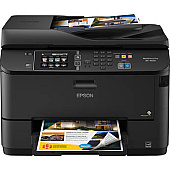
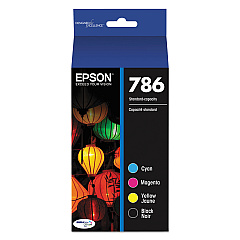
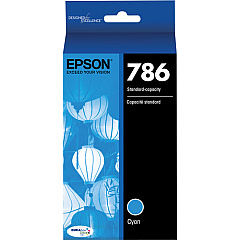
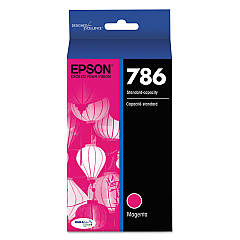
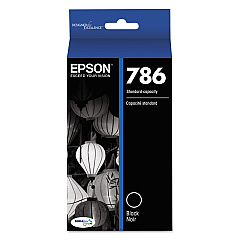
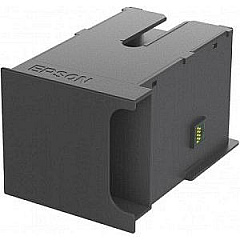
Ensure optimal performance for your Epson WorkForce Pro WF-4640 printer with genuine Epson WF-4640 Ink Cartridges. Our comprehensive range includes the T671000 Maintenance Box for waste ink management, and high-capacity individual cartridges in black (T786120), cyan (T786220), magenta (T786320), and yellow (T786420). For cost-effective printing, choose the T786120-BCS Combo Pack or T786120-D2 Black Ink Cartridge Dual Pack. The T786520 Multi-Pack Color Ink Cartridge offers convenience for color-intensive projects. These Epson WF-4640 Ink Cartridges deliver superior print quality, vibrant colors, and sharp text, making them ideal for businesses, schools, healthcare facilities, and government offices. With quick-drying, smudge-resistant ink, your documents will look professional every time. Trust in Epson's reliability and efficiency to keep your WF-4640 running smoothly for all your printing needs.

Epson WF-4640 Ink Cartridges FAQs

  • How long do Epson WF-4640 ink cartridges typically last?

    The lifespan of ink cartridges varies depending on usage, but high-capacity cartridges can typically print around 2,600 pages for black and 1,900 pages for color.

  • Are these ink cartridges compatible with other Epson printers?

    These specific cartridges are designed for the Epson WF-4640 model. Always check your printer's compatibility before purchasing ink cartridges.

  • What's the difference between the combo pack and individual cartridges?

    The combo pack includes multiple cartridges at a discounted price, while individual cartridges allow you to replace only the colors you need.

  • How often should I replace the T671000 Maintenance Box?

    The maintenance box should be replaced when prompted by your printer, typically after several thousand pages have been printed.

  • Can I use third-party ink cartridges in my Epson WF-4640?

    While third-party cartridges may work, using genuine Epson cartridges ensures the best print quality and protects your printer's warranty.

  • What's the shelf life of unopened ink cartridges?

    Unopened Epson ink cartridges typically have a shelf life of two years from the date of production when stored properly.

  • How do I install new ink cartridges in my Epson WF-4640?

    Follow the printer's on-screen instructions. Generally, you'll open the ink cartridge cover, remove the old cartridge, and insert the new one until it clicks into place.

  • Are these ink cartridges environmentally friendly?

    Epson designs its cartridges to be recyclable. Many office supply stores offer ink cartridge recycling programs.

  • What should I do if my printer doesn't recognize a new cartridge?

    Ensure the cartridge is properly seated, clean the contacts, and restart your printer. If issues persist, contact Epson support.

  • Can I buy these ink cartridges in bulk for my business?

    Yes, bulk purchasing options are available for businesses. Contact the supplier for volume pricing and business account options.

Warehouse Locations

Policy & Agreement | Copyright © 1995-2026 BlueDogInk.com
