





Ads

Epson TM-U300 POS Printer Ribbon

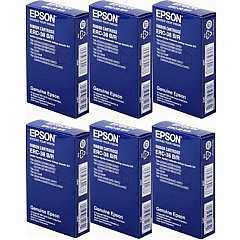
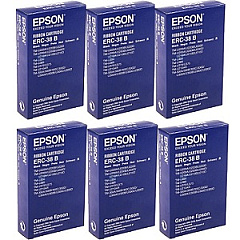
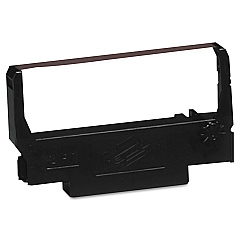
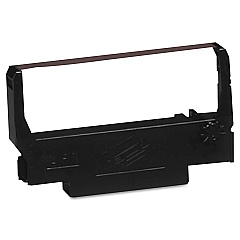
Ensure uninterrupted operation of your point-of-sale systems with high-quality Epson TM-U300 Thermal Printers Supplies. Our comprehensive range includes the essential Epson ERC-38 ribbon cartridges in both black and black/red options. Choose from single cartridges or cost-effective 6-packs to suit your business needs. The Epson ERC-38 Black Ribbon Cartridge delivers crisp, clear text for professional-looking receipts, while the Black/Red variant allows for eye-catching highlights. These genuine Epson supplies are designed to maximize the performance and longevity of your TM-U300 printer, ensuring consistent print quality and reliability. Whether you're in retail, hospitality, or any industry requiring dependable POS printing, our selection of Epson TM-U300 Thermal Printers Supplies provides the perfect solution for maintaining smooth operations and customer satisfaction.

Epson TM-U300 Thermal Printers Supplies FAQs

  • What types of ribbon cartridges are available for the Epson TM-U300 printer?

    The Epson TM-U300 printer uses Epson ERC-38 ribbon cartridges, available in Black and Black/Red options.

  • Can I buy these ribbon cartridges in bulk?

    Yes, both the Black and Black/Red ribbon cartridges are available in single units or cost-effective 6-packs.

  • Are these genuine Epson supplies?

    Yes, all the ribbon cartridges offered are genuine Epson supplies, ensuring optimal performance and compatibility with your TM-U300 printer.

  • How long does a typical Epson ERC-38 ribbon cartridge last?

    The lifespan of an ERC-38 ribbon cartridge varies depending on usage, but it typically lasts for about 3 million characters.

  • Is the Epson TM-U300 a thermal printer?

    While the TM-U300 is often referred to as a thermal printer, it actually uses impact printing technology with ribbon cartridges.

  • Can I use third-party ribbon cartridges in my Epson TM-U300 printer?

    While third-party cartridges may work, using genuine Epson supplies is recommended to ensure optimal print quality and prevent potential damage to your printer.

  • How do I install a new ribbon cartridge in my Epson TM-U300 printer?

    To install a new cartridge, open the printer cover, remove the old cartridge, insert the new one until it clicks into place, and close the cover.

  • What's the difference between the Black and Black/Red ribbon cartridges?

    The Black cartridge prints only in black, while the Black/Red cartridge allows for two-color printing, useful for highlighting specific information on receipts.

  • Are these supplies compatible with other Epson printer models?

    The ERC-38 ribbon cartridges are compatible with several Epson printer models, including the TM-U200, TM-U220, and TM-U230, but always check your printer's specifications to ensure compatibility.

  • How should I store unused ribbon cartridges?

    Store unused cartridges in a cool, dry place away from direct sunlight. Keep them in their original packaging until ready for use to maintain their quality.

Warehouse Locations

Policy & Agreement | Copyright © 1995-2026 BlueDogInk.com
