





Ads

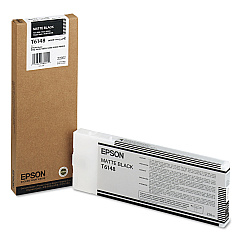
Epson Stylus Pro 4800 Professional Edition Black Ink Cartridges

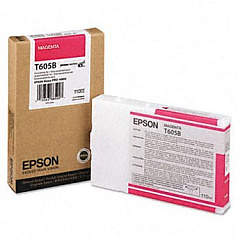
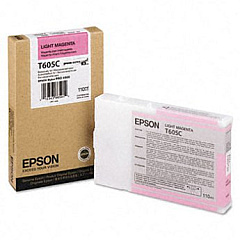
Epson Stylus Pro 4800 Professional Edition Color Ink Cartridges

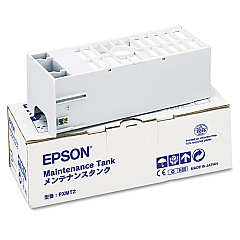
Epson Stylus Pro 4800 Professional Edition Maintenance Kits

Elevate your professional printing with Epson Stylus Pro 4800 Professional Edition Ink Cartridges. This comprehensive range of high-quality ink cartridges ensures exceptional color accuracy and longevity for your prints. The lineup includes various shades of black, cyan, magenta, and yellow, allowing for precise color reproduction and smooth gradients. From the C12C890191 Ink Maintenance Tank to the T614800 Matte Black Ink Cartridge, each component is designed to deliver outstanding results. Whether you're printing vibrant photographs or detailed graphics, these cartridges provide the reliability and performance demanded by professionals. Compatible with the Epson Stylus Pro 4800 Professional Edition printer, these inks offer excellent fade resistance and quick-drying properties. Invest in these superior ink cartridges to maintain the high standards of your printing projects and achieve consistently impressive output.

Epson Stylus Pro 4800 Professional Edition Ink Cartridges FAQs

  • How long do Epson Stylus Pro 4800 Professional Edition Ink Cartridges typically last?

    The lifespan of these cartridges varies depending on usage, but they generally last for several hundred prints.

  • Are these ink cartridges compatible with other Epson printers?

    These cartridges are specifically designed for the Epson Stylus Pro 4800 Professional Edition and may not be compatible with other models.

  • What is the shelf life of unopened ink cartridges?

    Unopened cartridges typically have a shelf life of up to two years from the production date when stored properly.

  • Can I use third-party ink cartridges instead of genuine Epson ones?

    While third-party options exist, using genuine Epson cartridges ensures optimal print quality and prevents potential damage to your printer.

  • How do I properly store unused ink cartridges?

    Store cartridges in a cool, dry place away from direct sunlight and extreme temperatures to maintain their quality.

  • What should I do if a cartridge is not recognized by the printer?

    Try removing and reinserting the cartridge. If the issue persists, clean the cartridge contacts and ensure it's properly seated.

  • How often should I replace the Ink Maintenance Tank?

    Replace the Ink Maintenance Tank when prompted by your printer, typically after several cartridge changes or heavy printing sessions.

  • Are these ink cartridges environmentally friendly?

    Epson offers a cartridge recycling program to minimize environmental impact. Check their website for details on how to participate.

  • What's the difference between Photo Black and Matte Black ink cartridges?

    Photo Black is ideal for glossy media, while Matte Black is best for matte and fine art papers, providing deeper blacks on these surfaces.

  • Can I mix old and new ink cartridges in the printer?

    It's best to use cartridges of similar age to ensure consistent print quality. However, mixing is possible if necessary.

Warehouse Locations

Policy & Agreement | Copyright © 1995-2026 BlueDogInk.com
