





Ads

Epson Stylus Pro 4400 Black Ink Cartridges

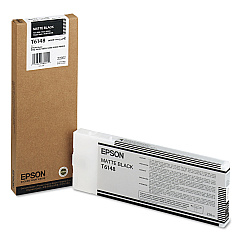
Enhance your printing experience with genuine Epson Stylus Pro 4400 Ink Cartridges, designed to deliver exceptional quality and performance. These high-capacity cartridges, including the Epson T614800 Matte Black Ink Cartridge, ensure consistent, professional-grade output for your large-format printing needs. Whether you're producing stunning photographs, detailed architectural drawings, or vibrant marketing materials, these cartridges provide rich, long-lasting colors and sharp, crisp text. Engineered specifically for the Epson Stylus Pro 4400 printer, these ink cartridges offer optimal compatibility and reliability. With their advanced pigment-based formulation, you can expect fade-resistant prints that maintain their brilliance for years. Maximize your printer's potential and achieve superior results with these authentic Epson ink cartridges, trusted by professionals in various industries for their exceptional print quality and durability.

Epson Stylus Pro 4400 Ink Cartridges FAQs

  • How long do Epson Stylus Pro 4400 Ink Cartridges typically last?

    The lifespan of these cartridges varies depending on usage, but they generally last for several hundred to a few thousand prints.

  • Are these ink cartridges compatible with other Epson printer models?

    No, these cartridges are specifically designed for the Epson Stylus Pro 4400 printer and may not be compatible with other models.

  • Can I use third-party ink cartridges in my Epson Stylus Pro 4400?

    While third-party cartridges may work, using genuine Epson cartridges ensures optimal print quality and prevents potential damage to your printer.

  • How do I properly store unused ink cartridges?

    Store cartridges in a cool, dry place away from direct sunlight. Keep them in their original packaging until ready for use.

  • What's the shelf life of unopened Epson Stylus Pro 4400 Ink Cartridges?

    Unopened cartridges typically have a shelf life of about two years from the production date when stored properly.

  • How do I know when it's time to replace an ink cartridge?

    Your printer will display a low ink warning when a cartridge needs replacement. You can also check ink levels through the printer software.

  • Are these ink cartridges environmentally friendly?

    Epson offers a cartridge recycling program to minimize environmental impact. Check their website for details on how to participate.

  • Can I mix different brands of ink cartridges in my Epson Stylus Pro 4400?

    It's not recommended to mix brands as it may affect print quality and potentially damage your printer.

  • What should I do if my printer doesn't recognize a new ink cartridge?

    Try removing and reinserting the cartridge. If the issue persists, clean the cartridge contacts and try again. If problems continue, contact Epson support.

  • How many ink cartridges does the Epson Stylus Pro 4400 use?

    The Epson Stylus Pro 4400 uses eight separate ink cartridges, including the Epson T614800 Matte Black Ink Cartridge.

Warehouse Locations

Policy & Agreement | Copyright © 1995-2026 BlueDogInk.com
