





Ads

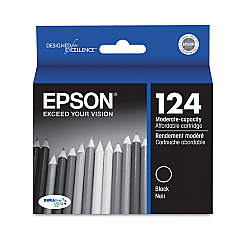
Epson Stylus NX330 Black Ink Cartridges

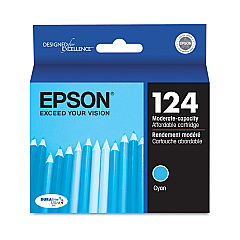
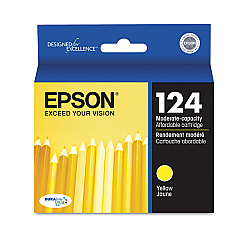
Epson Stylus NX330 Color Ink Cartridges

Ensure optimal print quality with genuine Epson Stylus NX330 Ink Cartridges. These high-performance cartridges are designed specifically for your Epson Stylus NX330 printer, delivering crisp text and vibrant colors for all your printing needs. Choose from a range of options including individual black, cyan, magenta, and yellow cartridges, as well as convenient multi-packs. The T124 series offers standard capacity, while the T126 series provides high-capacity alternatives for more economical printing. Whether you're printing documents for business, school projects, or colorful photos, these cartridges ensure consistent, professional results. With quick-drying, smudge-resistant ink, your prints will look great and last longer. Trust in Epson's superior quality and reliability to keep your Stylus NX330 running smoothly and efficiently, producing outstanding prints every time.

Epson Stylus NX330 Printers Supplies FAQs

  • What ink cartridges are compatible with the Epson Stylus NX330?

    The Epson Stylus NX330 is compatible with T124 and T126 series cartridges, including black, cyan, magenta, and yellow individual cartridges, as well as color multi-packs.

  • How long do Epson Stylus NX330 ink cartridges typically last?

    The lifespan of ink cartridges varies depending on usage, but standard capacity T124 cartridges typically yield about 190 pages, while high-capacity T126 cartridges can yield up to 470 pages for black and 450 pages for color.

  • Can I use third-party ink cartridges in my Epson Stylus NX330?

    While third-party cartridges may work, Epson recommends using genuine Epson cartridges to ensure optimal print quality and to protect your printer's warranty.

  • What's the difference between T124 and T126 series cartridges?

    T126 series cartridges are high-capacity versions, offering more ink and a higher page yield compared to the standard capacity T124 series.

  • How do I install new ink cartridges in my Epson Stylus NX330?

    Turn on the printer, open the scanner unit, and wait for the print head to move. Remove the old cartridge, insert the new one until it clicks, and close the scanner unit. The printer will then prime the ink.

  • Can I buy Epson Stylus NX330 ink cartridges in bulk?

    Yes, you can purchase multi-packs of color cartridges or buy individual cartridges in larger quantities for cost savings.

  • How can I tell if my Epson Stylus NX330 ink cartridges are genuine?

    Genuine Epson cartridges have a hologram on the packaging and a chip that the printer recognizes. You can also check the Epson website for verification methods.

  • What should I do if my printer doesn't recognize a new ink cartridge?

    Ensure the cartridge is properly seated and the chip is clean. If issues persist, try cleaning the contacts or resetting the printer. If problems continue, contact Epson support.

  • Are Epson Stylus NX330 ink cartridges recyclable?

    Yes, Epson offers a cartridge recycling program. You can return used cartridges to Epson or participating retailers for proper recycling.

  • Can I use Epson Stylus NX330 ink cartridges in other Epson printer models?

    These cartridges are designed specifically for the NX330 and compatible models. Always check your printer's manual or the Epson website for cartridge compatibility information.

Warehouse Locations

Policy & Agreement | Copyright © 1995-2026 BlueDogInk.com
