





Ads

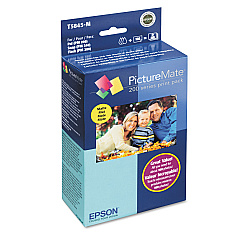
Epson PictureMate PM240 Snap Color Ink Cartridges

  • Epson T5845-M Print Pack

    Item T5845-M

    Epson T5845-M Print Pack

    PictureMate Print Pack; Contains 1 Ink Cartridge, 100 Sheets of Matte 4" x 6" Ph..

    Status

    In Stock

    $36.54

  • Epson T5846 Print Pack

    Item T5846

    Epson T5846 Print Pack

    PictureMate Print Pack; Contains 1 Ink Cartridge, 150 Sheets of Glossy 4" x 6" P..

    Status

    In Stock

    $43.04

Enhance your photo printing experience with genuine Epson PictureMate PM240 Snap Ink Cartridges. These high-quality cartridges, including the Epson T5845-M Print Pack and Epson T5846 Print Pack, are specifically designed for optimal performance in your PictureMate PM240 Snap printer. Delivering vibrant colors and sharp details, these cartridges ensure your cherished memories are preserved with professional-grade results. The convenient print packs combine ink and photo paper, streamlining your printing process and guaranteeing compatibility. Whether you're printing family portraits, vacation snapshots, or special event photos, these cartridges provide long-lasting, fade-resistant prints that will stand the test of time. Trust in Epson's renowned quality and reliability to bring your digital images to life with stunning clarity and color accuracy. Upgrade your photo printing capabilities today with Epson PictureMate PM240 Snap Ink Cartridges.

Epson PictureMate PM240 Snap Ink Cartridges FAQs

  • What is the difference between T5845-M and T5846 Print Packs?

    The T5845-M Print Pack includes matte photo paper, while the T5846 Print Pack comes with glossy photo paper.

  • How many prints can I get from one cartridge?

    Each print pack typically yields about 150 4x6 inch photos, depending on usage and image content.

  • Are these cartridges compatible with other Epson printers?

    No, these cartridges are specifically designed for the Epson PictureMate PM240 Snap printer.

  • How long do the prints last?

    Prints made with these cartridges can last up to 200 years when properly stored in an album.

  • Can I use third-party ink cartridges in my PictureMate PM240 Snap?

    While third-party cartridges may work, using genuine Epson cartridges ensures the best print quality and printer longevity.

  • How do I install the ink cartridge in my PictureMate PM240 Snap?

    Simply open the cartridge compartment, remove the old cartridge, and insert the new one until it clicks into place.

  • Are these cartridges environmentally friendly?

    Epson has a cartridge recycling program to help reduce environmental impact.

  • How should I store unused ink cartridges?

    Store cartridges in a cool, dry place in their original packaging until ready for use.

  • Can I refill these cartridges?

    Refilling is not recommended as it may damage your printer and void the warranty.

  • What should I do if my prints appear faded or have streaks?

    Try running a print head cleaning cycle. If the issue persists, you may need to replace the ink cartridge.

Warehouse Locations

Policy & Agreement | Copyright © 1995-2026 BlueDogInk.com
