














Ads

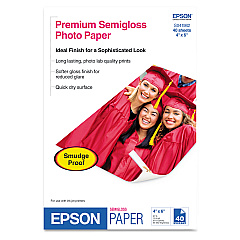
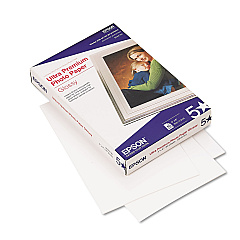
Epson PictureMate PM-400 Photo Paper

Enhance your photo printing experience with genuine Epson PictureMate PM-400 Ink Cartridges. These high-quality cartridges are specifically designed for the Epson PictureMate PM-400 printer, ensuring vibrant, long-lasting prints that capture every detail of your cherished memories. The Epson T320 Photo Ink Cartridge delivers exceptional color accuracy and fade-resistant results, while the Epson T320P Print Pack offers a convenient all-in-one solution with ink and photo paper. Whether you're printing family portraits, vacation snapshots, or professional photographs, these cartridges provide consistent, gallery-quality output. Compatible with various paper types and sizes, Epson PictureMate PM-400 Ink Cartridges allow you to create stunning 4x6 and 5x7 prints with ease. Trust in Epson's innovative technology to bring your photos to life with unparalleled clarity and brilliance.

Epson PictureMate PM-400 Ink Cartridges FAQs

  • What ink cartridges are compatible with the Epson PictureMate PM-400?

    The Epson PictureMate PM-400 is compatible with the Epson T320 Photo Ink Cartridge and the Epson T320P Print Pack.

  • How long do Epson PictureMate PM-400 ink cartridges last?

    The lifespan of the cartridges depends on usage, but typically they can print hundreds of photos before needing replacement.

  • Can I use third-party ink cartridges in my Epson PictureMate PM-400?

    While third-party cartridges may work, Epson recommends using genuine Epson cartridges for optimal print quality and printer performance.

  • What's the difference between the T320 Photo Ink Cartridge and the T320P Print Pack?

    The T320 Photo Ink Cartridge contains ink only, while the T320P Print Pack includes both ink and photo paper.

  • Are Epson PictureMate PM-400 ink cartridges refillable?

    Epson does not recommend refilling cartridges as it may affect print quality and potentially damage the printer.

  • What paper sizes can I print with the Epson PictureMate PM-400?

    The Epson PictureMate PM-400 can print on 4x6 and 5x7 photo paper sizes.

  • How do I install new ink cartridges in my Epson PictureMate PM-400?

    To install new cartridges, turn on the printer, open the cartridge cover, remove the old cartridge, and insert the new one until it clicks into place.

  • Can I buy Epson PictureMate PM-400 ink cartridges in bulk?

    Yes, many retailers offer multi-packs or bulk purchasing options for Epson PictureMate PM-400 ink cartridges.

  • Are Epson PictureMate PM-400 ink cartridges environmentally friendly?

    Epson has a cartridge recycling program and uses recyclable packaging, contributing to environmental sustainability.

  • How can I ensure the best print quality with my Epson PictureMate PM-400 ink cartridges?

    Use genuine Epson cartridges, store them properly, and perform regular printer maintenance to ensure the best print quality.

Warehouse Locations

Policy & Agreement | Copyright © 1995-2026 BlueDogInk.com
