
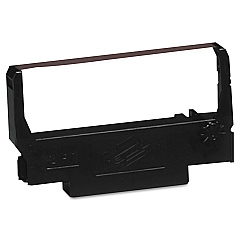
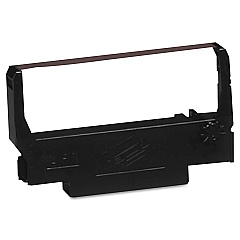





Epson M 115 A Retail Equip. POS/Cash Reg. Supplies

Ads

Epson M 115 A POS Printer Ribbon

Ensure smooth operations at your point-of-sale with Epson M 115 A Retail Equip. POS/Cash Reg. Supplies. These high-quality consumables are designed specifically for the Epson M 115 A, a reliable retail equipment solution for businesses of all sizes. Choose between the versatile Epson ERC-38 Black Red Ribbon Cartridge for dual-color printing or the efficient Epson ERC-38 Black Ribbon Cartridge for standard monochrome output. These supplies guarantee crisp, legible receipts and reports, enhancing your customer service and record-keeping. Compatible with various retail environments, including retail stores, restaurants, and healthcare facilities, these supplies offer long-lasting performance and consistent print quality. Invest in genuine Epson supplies to maximize your POS system's lifespan and maintain professional-looking documentation. Keep your business running smoothly with these essential Epson M 115 A Retail Equip. POS/Cash Reg. Supplies.

Epson M 115 A Retail Equip. POS/Cash Reg. Supplies FAQs

  • What is the difference between the Black Red and Black Ribbon Cartridges?

    The Black Red cartridge prints in two colors, while the Black cartridge prints only in black.

  • How long do these ribbon cartridges typically last?

    The lifespan varies depending on usage, but on average, they can last for about 4 million characters.

  • Are these supplies compatible with other Epson POS models?

    These supplies are specifically designed for the Epson M 115 A, but they may be compatible with other models. Check your printer's specifications to confirm compatibility.

  • How often should I replace the ribbon cartridge?

    Replace the cartridge when print quality begins to fade or becomes illegible, typically after 4 million characters or as recommended by your specific usage patterns.

  • Can I use non-Epson brand cartridges in my Epson M 115 A?

    While third-party cartridges may work, using genuine Epson supplies ensures optimal performance and prevents potential damage to your printer.

  • How do I install a new ribbon cartridge?

    Open the printer cover, remove the old cartridge, insert the new one ensuring it clicks into place, and close the cover. Refer to your printer's manual for detailed instructions.

  • Are these supplies environmentally friendly?

    Epson strives to produce environmentally responsible products, but specific eco-friendly features may vary. Check Epson's environmental policy for more information.

  • Can I recycle used ribbon cartridges?

    Yes, Epson offers a recycling program for used cartridges. Visit their website or contact customer support for details on how to participate.

  • What should I do if my prints are faint or streaky?

    First, try reinstalling the cartridge. If the issue persists, it may be time to replace the ribbon cartridge with a new one.

  • Do these supplies come with a warranty?

    Yes, genuine Epson supplies typically come with a limited warranty. Check the packaging or Epson's website for specific warranty information.

Warehouse Locations

Policy & Agreement | Copyright © 1995-2026 BlueDogInk.com
