





Ads

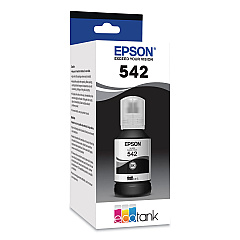
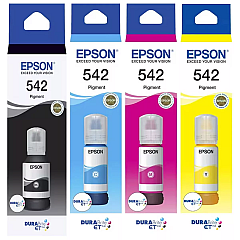
Epson EcoTank Pro ET-16600 Black Ink Cartridges

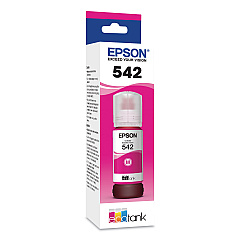
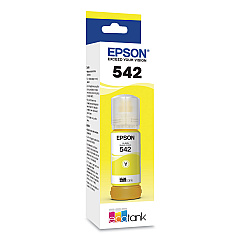
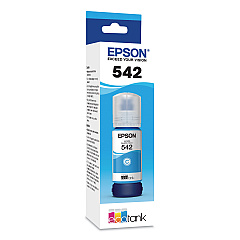
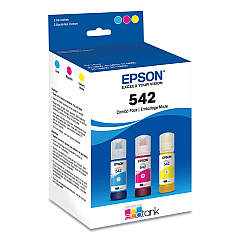
Epson EcoTank Pro ET-16600 Color Ink Cartridges

Epson EcoTank Pro ET-16600 Ink Set

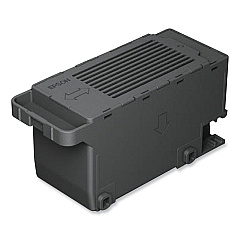
Epson EcoTank Pro ET-16600 Maintenance Kits

Maximize your printing efficiency with Epson EcoTank Pro ET-16600 Ink Cartridges. This innovative printer utilizes a range of high-capacity ink bottles, including the Epson 542 series in Black, Cyan, Magenta, and Yellow. The EcoTank Pro ET-16600 also offers a convenient multi-color pack and a reliable maintenance box for hassle-free upkeep. These cartridges deliver exceptional print quality and longevity, making them ideal for businesses, schools, and healthcare facilities with high-volume printing needs. With Epson's EcoTank technology, you'll enjoy significant cost savings and reduced waste compared to traditional cartridge systems. Experience vibrant colors, sharp text, and professional-grade output while minimizing your environmental impact. Upgrade your printing capabilities with the Epson EcoTank Pro ET-16600 and its versatile range of ink supplies.

Epson EcoTank Pro ET-16600 Printers Supplies FAQs

  • How long do Epson EcoTank Pro ET-16600 ink bottles last?

    The ink bottles can last for thousands of pages, depending on usage and print settings. Exact page yield varies by color and print content.

  • Are these ink bottles compatible with other Epson printers?

    The Epson 542 series ink bottles are specifically designed for the EcoTank Pro ET-16600 and may not be compatible with other Epson printer models.

  • How often should I replace the maintenance box?

    The maintenance box should be replaced when prompted by the printer, typically after several thousand pages or when it reaches capacity.

  • Can I use third-party ink in the Epson EcoTank Pro ET-16600?

    It's recommended to use genuine Epson ink for optimal print quality and to maintain your printer's warranty.

  • How do I install the ink bottles in the EcoTank Pro ET-16600?

    Simply remove the bottle cap, insert the bottle into the corresponding color tank, and let it drain. The printer will automatically stop when full.

  • Are these ink bottles more cost-effective than traditional cartridges?

    Yes, EcoTank ink bottles typically offer a lower cost per page compared to traditional cartridges, especially for high-volume printing.

  • What's the shelf life of unopened Epson 542 ink bottles?

    Unopened ink bottles typically have a shelf life of about 2 years from the production date when stored properly.

  • Can I refill these ink bottles myself?

    Epson does not recommend refilling ink bottles. Always use new, genuine Epson ink bottles for best results and to protect your printer.

  • How do I know when it's time to replace an ink bottle?

    The printer will display a message when ink levels are low. You can also check ink levels through the printer's control panel or software.

  • Is the Epson EcoTank Pro ET-16600 ink pigment-based or dye-based?

    The Epson 542 series inks used in the EcoTank Pro ET-16600 are pigment-based, offering better water resistance and longevity compared to dye-based inks.

Warehouse Locations

Policy & Agreement | Copyright © 1995-2026 BlueDogInk.com
