




Digital Check Tellerscan 215 Financial/Bank Machines Supplies

Ads

Digital Check Tellerscan 215 Black Ink Cartridges

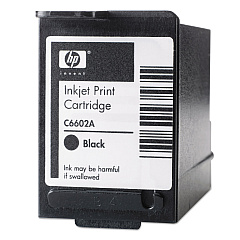
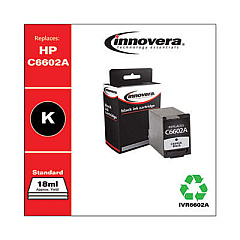
Ensure uninterrupted check scanning with Digital Check Tellerscan 215 Ink Cartridges from BlueDogInk.com. Our high-quality cartridges are designed specifically for the Tellerscan 215 scanner, guaranteeing optimal performance and crisp, clear imprints. Choose from the original HP C6602A Black Ink Cartridge for authentic results or opt for the cost-effective Innovera Remanufactured Black Ink, a reliable replacement for C6602A. Both options deliver exceptional print quality, ensuring your financial documents are legible and compliant with banking regulations. With our Digital Check Tellerscan 215 Ink Cartridges, you'll experience consistent output, reduced downtime, and improved efficiency in your check processing operations. Trust BlueDogInk.com to provide the supplies you need to keep your Tellerscan 215 running smoothly, whether you're in a busy bank, credit union, or business environment.

Digital Check Tellerscan 215 Financial/Bank Machines Supplies FAQs

  • How long does a Digital Check Tellerscan 215 ink cartridge typically last?

    The lifespan of a cartridge depends on usage, but it typically lasts for about 7 million characters or approximately 500,000 checks.

  • Are the Innovera remanufactured cartridges compatible with the Tellerscan 215?

    Yes, the Innovera remanufactured cartridges are fully compatible with the Digital Check Tellerscan 215 and offer a cost-effective alternative to the original HP cartridges.

  • How do I know when it's time to replace my Tellerscan 215 ink cartridge?

    You should replace the cartridge when print quality begins to fade or become inconsistent. Most devices also have a low ink indicator.

  • Can I use non-HP branded ink cartridges in my Tellerscan 215?

    While HP cartridges are recommended, compatible cartridges like the Innovera remanufactured ones can be used without voiding your warranty.

  • How should I store unused ink cartridges?

    Store unused cartridges in a cool, dry place at room temperature. Keep them in their original packaging until ready for use.

  • What's the difference between the HP C6602A and the Innovera remanufactured cartridge?

    The HP C6602A is the original manufacturer's cartridge, while the Innovera is a remanufactured version that offers similar quality at a lower price point.

  • How do I install a new ink cartridge in my Tellerscan 215?

    Open the scanner's ink cartridge compartment, remove the old cartridge, insert the new one until it clicks into place, and close the compartment. Refer to your user manual for detailed instructions.

  • Are these ink cartridges environmentally friendly?

    The Innovera remanufactured cartridges are more environmentally friendly as they reuse cartridge bodies. HP also offers a recycling program for their cartridges.

  • Can I refill these ink cartridges myself?

    It's not recommended to refill these cartridges yourself as it may affect print quality and potentially damage your scanner.

  • What's your return policy for ink cartridges?

    We offer a 30-day return policy for unopened ink cartridges. Please contact our customer service for specific details or if you encounter any issues with your purchase.

Warehouse Locations

Policy & Agreement | Copyright © 1995-2026 BlueDogInk.com
