





Ads

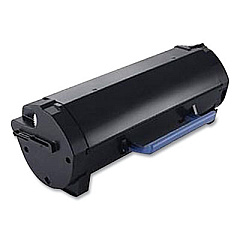
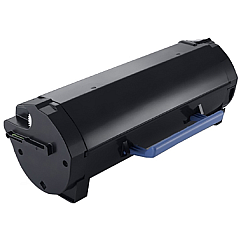
Dell Smart Printer S2830dn Black Toner Cartridges

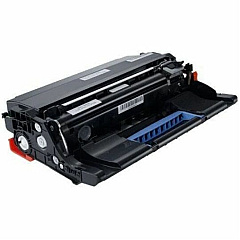
Dell Smart Printer S2830dn Drum Units

  • Dell KVK63 Imaging Drum

    Item KVK63

    Dell KVK63 Imaging Drum

    Dell 331-9811 (90DC4) Imaging Drum; Yield: 60,000 pages..

    Status

    In Stock

    $57.44

Ensure uninterrupted printing with genuine Dell Smart Printer S2830dn Toner Cartridges. These high-quality consumables are specifically designed for optimal performance in your Dell S2830dn printer, delivering crisp, professional-grade output for all your business needs. The Dell GGCTW Black Toner Cartridge offers exceptional yield and coverage, while the Dell KVK63 Imaging Drum maintains superior print quality throughout its lifecycle. By choosing authentic Dell supplies, you'll maximize your printer's efficiency and longevity. These cartridges are easy to install and provide consistent, smudge-free results page after page. Whether you're printing important documents, reports, or presentations, Dell Smart Printer S2830dn Toner Cartridges ensure your prints make a lasting impression. Invest in reliability and quality with genuine Dell consumables, and keep your S2830dn performing at its best.

Dell Smart Printer S2830dn Printers Supplies FAQs

  • What is the page yield of the Dell GGCTW Black Toner Cartridge?

    The Dell GGCTW Black Toner Cartridge typically yields around 8,500 pages at 5% coverage.

  • How often should I replace the Dell KVK63 Imaging Drum?

    The Dell KVK63 Imaging Drum usually needs replacement after approximately 85,000 pages, depending on usage.

  • Are these toner cartridges compatible with other Dell printer models?

    These cartridges are specifically designed for the Dell Smart Printer S2830dn and may not be compatible with other models.

  • Can I use third-party toner cartridges in my Dell S2830dn printer?

    While third-party cartridges may work, using genuine Dell cartridges ensures optimal performance and maintains your printer's warranty.

  • How do I know when it's time to replace the toner cartridge?

    Your printer will display a low toner warning when it's time to replace the cartridge. You may also notice a decrease in print quality.

  • Are these toner cartridges environmentally friendly?

    Dell offers a recycling program for used toner cartridges, promoting environmental sustainability.

  • What's the shelf life of unopened Dell toner cartridges?

    Unopened Dell toner cartridges typically have a shelf life of 1-2 years when stored properly.

  • Can I buy these cartridges in bulk for my business?

    Yes, bulk purchasing options are available for businesses to ensure a steady supply of toner cartridges.

  • How do I install the new toner cartridge in my Dell S2830dn printer?

    Installation is simple: open the front cover, remove the old cartridge, and insert the new one until it clicks into place.

  • What should I do if I experience print quality issues after installing a new cartridge?

    Try running the printer's cleaning cycle. If issues persist, ensure the cartridge is properly installed and contact Dell support if needed.

Warehouse Locations

Policy & Agreement | Copyright © 1995-2026 BlueDogInk.com
