





Ads

Dell Smart Printer S2810dn Black Toner Cartridges

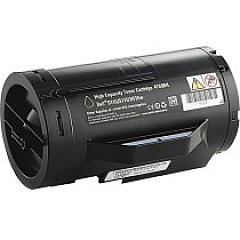
Ensure optimal performance and crisp prints with genuine Dell Smart Printer S2810dn Toner Cartridges. These high-quality supplies are specifically designed for the S2810dn model, guaranteeing seamless compatibility and exceptional results. The Dell 35C7V Imaging Drum delivers sharp, clear images, while the Dell 47GMH Black Toner Cartridge provides rich, dark text and graphics. For ongoing maintenance, the Dell GJTKC Maintenance Kit keeps your printer running smoothly. By choosing authentic Dell supplies, you'll maximize your printer's lifespan and maintain consistent print quality. Whether you're printing important business documents, educational materials, or healthcare records, these toner cartridges ensure professional-grade output. Trust in Dell's commitment to quality and reliability to meet the demanding needs of businesses, schools, government agencies, and healthcare facilities. Invest in genuine Dell Smart Printer S2810dn Toner Cartridges for unparalleled performance and value.

Dell Smart Printer S2810dn Printers Supplies FAQs

  • How long do Dell Smart Printer S2810dn Toner Cartridges typically last?

    The lifespan of toner cartridges varies depending on usage, but the Dell 47GMH Black Toner Cartridge typically yields around 6,000 pages.

  • Are these toner cartridges compatible with other Dell printer models?

    These cartridges are specifically designed for the Dell Smart Printer S2810dn model and may not be compatible with other Dell printers.

  • How often should I replace the imaging drum?

    The Dell 35C7V Imaging Drum typically needs replacement after approximately 85,000 pages, but this can vary based on usage patterns.

  • What is included in the Dell GJTKC Maintenance Kit?

    The maintenance kit typically includes a fuser unit, transfer roller, and pick-up rollers to help maintain optimal printer performance.

  • Can I use third-party toner cartridges with my Dell Smart Printer S2810dn?

    While third-party cartridges may work, using genuine Dell cartridges ensures optimal performance, print quality, and warranty coverage.

  • How do I know when it's time to replace my toner cartridge?

    Your printer will display a low toner warning when it's time to replace the cartridge. You may also notice a decrease in print quality.

  • Are these toner cartridges environmentally friendly?

    Dell offers a recycling program for used toner cartridges, helping to reduce environmental impact.

  • What is the shelf life of unopened toner cartridges?

    Unopened toner cartridges typically have a shelf life of 1-2 years when stored in a cool, dry place.

  • Can I purchase these supplies in bulk for my business?

    Yes, bulk purchasing options are often available for businesses. Contact Dell or an authorized reseller for more information.

  • How do I install the new toner cartridge in my Dell Smart Printer S2810dn?

    Installation is simple: open the front cover, remove the old cartridge, unpack the new one, and insert it until it clicks into place. Detailed instructions are included with each cartridge.

Warehouse Locations

Policy & Agreement | Copyright © 1995-2026 BlueDogInk.com
