









Ads

Dell S2810dn Black Toner Cartridges

Dell S2810dn Copy Paper

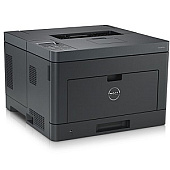
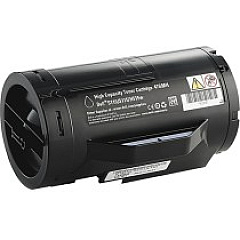
Ensure optimal performance for your Dell S2810dn printer with our premium Dell S2810dn Toner Cartridges and supplies. Our comprehensive range includes the essential Dell 35C7V Imaging Drum for crisp, clear images, the high-yield Dell 47GMH Black Toner Cartridge for extensive printing needs, and the standard-capacity Dell F9G3N Black Toner Cartridge for everyday use. To maintain your printer's longevity, we also offer the Dell GJTKC Maintenance Kit. These genuine Dell products guarantee superior print quality, reliability, and efficiency for your business, educational institution, government office, healthcare facility, or wholesale operation. By choosing our Dell S2810dn Toner Cartridges and supplies, you'll experience consistent, professional-grade results while minimizing downtime and maximizing productivity. Trust in our selection to keep your Dell S2810dn operating at peak performance for all your printing needs.

Dell S2810dn Toner Cartridges FAQs

  • What is the page yield of the Dell 47GMH Black Toner Cartridge?

    The Dell 47GMH Black Toner Cartridge has a page yield of approximately 20,000 pages at 5% coverage.

  • How often should I replace the Dell 35C7V Imaging Drum?

    The Dell 35C7V Imaging Drum typically needs replacement after about 85,000 pages, but this can vary based on usage patterns.

  • Is the Dell F9G3N Black Toner Cartridge compatible with other Dell printer models?

    The Dell F9G3N Black Toner Cartridge is specifically designed for the Dell S2810dn printer and may not be compatible with other models.

  • What components are included in the Dell GJTKC Maintenance Kit?

    The Dell GJTKC Maintenance Kit typically includes a fuser unit, transfer roller, and pick-up rollers to maintain optimal printer performance.

  • Can I use third-party toner cartridges in my Dell S2810dn printer?

    While third-party cartridges may work, using genuine Dell toner cartridges ensures the best print quality and prevents potential damage to your printer.

  • How do I know when it's time to replace my toner cartridge?

    Your Dell S2810dn printer will display a low toner warning on its control panel when it's time to replace the cartridge.

  • Are these Dell S2810dn supplies environmentally friendly?

    Yes, Dell offers a recycling program for used toner cartridges and imaging drums to minimize environmental impact.

  • What is the shelf life of unopened Dell toner cartridges?

    Unopened Dell toner cartridges typically have a shelf life of 1-2 years when stored in a cool, dry place.

  • Can I purchase these supplies in bulk for my business?

    Yes, bulk purchasing options are available for businesses, educational institutions, and other organizations with high-volume printing needs.

  • How do I install the new toner cartridge in my Dell S2810dn printer?

    Installation is simple: open the front cover, remove the old cartridge, unpack the new one, and insert it until it clicks into place. Detailed instructions are included with each cartridge.

Warehouse Locations

Policy & Agreement | Copyright © 1995-2026 BlueDogInk.com
