









Ads

Dell M5200n Black Toner Cartridges

Dell M5200n Copy Paper

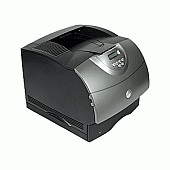
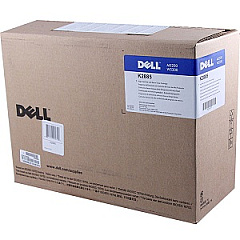
Ensure uninterrupted, high-quality printing with genuine Dell M5200n Toner Cartridges. These reliable consumables are specifically designed for the Dell M5200n laser printer, delivering crisp, professional-grade text and graphics. Choose between the Dell 310-4131 High Yield Black Toner Cartridge for extended print runs or the Dell K2885 Black Toner Cartridge for standard usage. Both options guarantee consistent performance and optimal print quality, meeting the demands of busy offices, educational institutions, and healthcare facilities. Dell M5200n Toner Cartridges are engineered to work seamlessly with your printer, minimizing downtime and maximizing productivity. With their superior page yield and cost-effective pricing, these toner cartridges offer excellent value for businesses and organizations of all sizes. Trust in Dell's commitment to quality and reliability to keep your printing operations running smoothly and efficiently.

Dell M5200n Toner Cartridges FAQs

  • What is the page yield of the Dell 310-4131 High Yield Black Toner Cartridge?

    The Dell 310-4131 High Yield Black Toner Cartridge typically yields around 21,000 pages at 5% coverage.

  • Are these toner cartridges compatible with other Dell printer models?

    These specific toner cartridges are designed for the Dell M5200n printer. Always check your printer's compatibility before purchasing.

  • How long do Dell M5200n Toner Cartridges typically last?

    The lifespan of a toner cartridge depends on usage, but under normal conditions, they can last several months to a year.

  • Can I use third-party toner cartridges in my Dell M5200n printer?

    While third-party cartridges may work, using genuine Dell toner cartridges ensures optimal performance and maintains your printer's warranty.

  • What's the difference between the Dell 310-4131 and K2885 toner cartridges?

    The Dell 310-4131 is a high-yield cartridge, offering more prints per cartridge than the standard K2885 cartridge.

  • How do I install a new toner cartridge in my Dell M5200n printer?

    Consult your printer's user manual for specific instructions, but generally, you'll need to open the printer, remove the old cartridge, and insert the new one until it clicks into place.

  • Are these toner cartridges environmentally friendly?

    Dell offers a recycling program for used toner cartridges, promoting environmental sustainability.

  • What should I do if I experience print quality issues with my Dell M5200n Toner Cartridges?

    First, ensure the cartridge is properly installed. If issues persist, try printing a test page or cleaning the printer heads as per the user manual instructions.

  • Can I buy these toner cartridges in bulk for my business?

    Yes, many suppliers offer bulk purchasing options for businesses. Contact the seller for more information on bulk orders and potential discounts.

  • How should I store unused Dell M5200n Toner Cartridges?

    Store unused cartridges in a cool, dry place away from direct sunlight. Keep them in their original packaging until ready for use to protect them from damage and extend their shelf life.

Warehouse Locations

Policy & Agreement | Copyright © 1995-2026 BlueDogInk.com
