





Ads

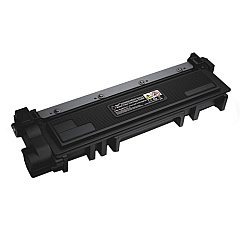
Dell E515dw MFP Black Toner Cartridges

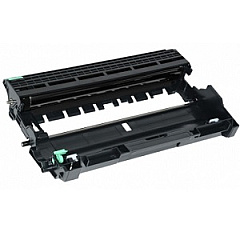
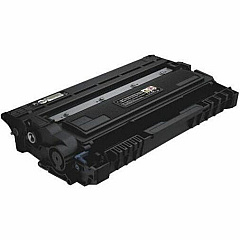
Dell E515dw MFP Drum Units

Ensure uninterrupted productivity with genuine Dell E515dw MFP Toner Cartridges. These high-quality supplies are specifically designed for optimal performance in your Dell E515dw multifunction printer. The Dell C2KTH Imaging Drum delivers crisp, clear images and text, while the Dell CVXGF and P7RMX Black Toner Cartridges provide rich, deep blacks for professional-looking documents. These cartridges offer excellent page yields, reducing the frequency of replacements and minimizing downtime. Compatible with various Dell printer models, these toner cartridges are perfect for businesses, educational institutions, government offices, and healthcare facilities that demand reliable, high-volume printing. By choosing authentic Dell supplies, you'll maximize your printer's performance, extend its lifespan, and ensure consistent print quality. Trust in Dell E515dw MFP Toner Cartridges for all your printing needs, from everyday documents to important presentations.

Dell E515dw MFP Printers Supplies FAQs

  • What is the page yield for the Dell CVXGF Black Toner Cartridge?

    The Dell CVXGF Black Toner Cartridge typically yields around 2,000 pages.

  • Is the Dell P7RMX Black Toner Cartridge compatible with other Dell printer models?

    Yes, the Dell P7RMX Black Toner Cartridge is compatible with several Dell printer models, including the E515dw MFP.

  • How often should I replace the Dell C2KTH Imaging Drum?

    The Dell C2KTH Imaging Drum typically needs replacement after processing about 12,000 pages, but this can vary based on usage patterns.

  • Can I use third-party toner cartridges in my Dell E515dw MFP?

    While third-party cartridges may work, using genuine Dell toner cartridges ensures optimal performance and print quality, and helps maintain your printer's warranty.

  • What's the difference between the Dell CVXGF and P7RMX Black Toner Cartridges?

    The main difference is typically the page yield. The P7RMX is usually a high-yield cartridge, offering more prints per cartridge than the CVXGF.

  • How do I install a new toner cartridge in my Dell E515dw MFP?

    To install a new cartridge, open the front cover, remove the old cartridge, unpack the new one, and insert it until it clicks into place. Then close the cover.

  • Are these toner cartridges environmentally friendly?

    Dell offers a recycling program for used toner cartridges, helping to reduce environmental impact. Always dispose of used cartridges responsibly.

  • How can I extend the life of my Dell E515dw MFP Toner Cartridges?

    To extend cartridge life, use draft mode for internal documents, print in black and white when possible, and avoid printing unnecessary pages.

  • What should I do if I experience print quality issues with these cartridges?

    If you experience quality issues, try cleaning the print head, ensuring the cartridge is properly seated, and checking for any error messages on the printer display.

  • Do these toner cartridges come with a warranty?

    Yes, genuine Dell toner cartridges typically come with a warranty against defects in materials and workmanship for a specified period from the date of purchase.

Warehouse Locations

Policy & Agreement | Copyright © 1995-2026 BlueDogInk.com
