





Ads

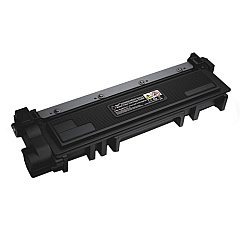
Dell E310 Black Toner Cartridges

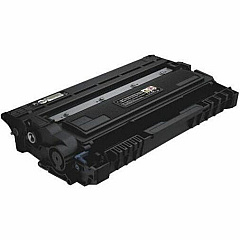
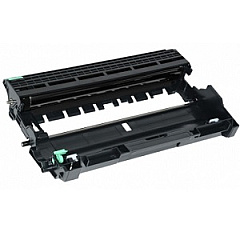
Dell E310 Drum Units

Ensure optimal print quality and performance with genuine Dell E310 Toner Cartridges for your Dell E310 printer. Our comprehensive range includes the essential Dell C2KTH Imaging Drum, which maintains crisp image reproduction, as well as the high-capacity Dell CVXGF Black Toner Cartridge and the standard-yield Dell P7RMX Black Toner Cartridge. These authentic Dell supplies are designed to deliver consistent, professional-grade results for all your printing needs. Whether you're a small business, educational institution, government office, or healthcare facility, our Dell E310 Toner Cartridges provide reliable output and cost-effective solutions. Experience fewer paper jams, reduced waste, and extended printer life with these OEM cartridges. Trust in the quality and compatibility of genuine Dell supplies to keep your E310 printer running smoothly and efficiently, ensuring uninterrupted productivity in your daily operations.

Dell E310 Printers Supplies FAQs

  • What is the page yield of the Dell CVXGF Black Toner Cartridge?

    The Dell CVXGF Black Toner Cartridge typically yields around 2,600 pages at 5% coverage.

  • How often should I replace the Dell C2KTH Imaging Drum?

    The Dell C2KTH Imaging Drum usually needs replacement after approximately 12,000 pages, depending on usage.

  • Are these Dell E310 Toner Cartridges compatible with other Dell printer models?

    These cartridges are specifically designed for the Dell E310 printer and may not be compatible with other models.

  • What's the difference between the Dell CVXGF and Dell P7RMX Black Toner Cartridges?

    The Dell CVXGF is a high-capacity cartridge, while the Dell P7RMX is a standard-yield cartridge, offering different page yields.

  • Can I use third-party toner cartridges in my Dell E310 printer?

    While third-party cartridges may work, using genuine Dell cartridges ensures optimal performance and maintains your printer's warranty.

  • How do I install the Dell C2KTH Imaging Drum?

    Consult your printer's user manual for step-by-step instructions on replacing the imaging drum, as the process may vary slightly between models.

  • Are these toner cartridges environmentally friendly?

    Dell offers a recycling program for used toner cartridges, promoting environmental sustainability.

  • What should I do if I experience print quality issues with these cartridges?

    First, ensure the cartridge is properly installed. If issues persist, try cleaning the printer's internal components or contact Dell support for assistance.

  • How long can I store unused Dell E310 Toner Cartridges?

    Unopened toner cartridges can typically be stored for up to two years in a cool, dry place away from direct sunlight.

  • Do these cartridges come with a warranty?

    Yes, genuine Dell toner cartridges come with a warranty against defects in materials and workmanship for the life of the cartridge.

Warehouse Locations

Policy & Agreement | Copyright © 1995-2026 BlueDogInk.com
